Functional Languages, Interpreters and Types: CS 350 Course Notes
Table of Contents
- Introduction
- Part I: Functional Programming
- 1. Setup: Editor and Tooling
- 2. The Syntax of Flit
- 3. Functions and Expressions
- 4. Types
- 5. Recursion and Lists
- 6. Datatypes and Pattern Matching
- 7. Trees and Recursive Datatypes
- 8. Lambda and Higher-Order Functions
- 9. Higher-Order Polymorphic Functions
- 10. Tail-Calls and Generative Recursion
- 11. Folds: Recursion as a Function
Introduction
For Students
What This Course Is About
If you take into a linguistics class, you will not take French one week, German the next, Mandarin after that, etc. Instead, you learn about the things that all languages are made of: sounds, words, syntax, semantics, etc. You might learn about the history of certain languages, and how some languages influenced each other, or how some languages have certain features while others don’t.
In the same way, this course is not about teaching you multiple different languages. It’s about teaching you what languages are made of. The idea is that you will then have the tools to understand the features of any language you encounter in your career. In particular, you will learn about semantics: what does a program mean, separate from a particular computer and input and environment that it’s run on. Some languages which are syntactically very different are semantically very similar, and some languages that look the same have very different features.
Why Functional Programming?
In this course, we will learn about functional programming, where a variable’s value never changes once it is set. Programming is focused around what a program is, not what a program does. There is no denying that functional programming is less popular in industry than imperative or object-oriented programming, so why are we going to learn it? We have a few reasons:
- Functional languages have simple reasoning principles. In this course, code is not just a means to an end, but an object worthy of study. Just as one might study a bacterium or a mouse before studying human biology, we will examine simple languages before complex ones. While it is certainly possible to formally reason about code in languages like C++, Python, or Java, doing so is much more complicated, and is beyond the scope of an introductory class.
- Functional languages are close to the “atoms” of programming languages. As we will see in the course, many concepts like mutable variables, loops, and objects are expressible using functions, datatypes, and recursion. Many of the concepts we language features we will learn about are obvious in functional languages, but implicit or hidden in other languages. So we can learn about those features more directly.
- The functional paradigm is growing in popularity. Languages like F#, Clojure, Elixir, and Scala have introduced functional languages into existing ecosystems, yielding a bump in usage. More significantly, functional ideas are being added to more and more languages. Nearly every language has some kind of closure, with C being the main exception. JavaScript async is based around passing functions as arguments, and Rust’s design draws heavily from research on algebraic datatypes, pattern matching, and polymorphism.
You will not likely ever use Racket in industry (although the Naughty Dog video game company does use Racket to develop games like The Last of Us). But more importantly, I do not know what languages you will use in your career, and neither do you. So I hope this course can change the way you think about programming and understand what languages are made of, so that you are able to adapt and learn whatever language you need in your job ten or twenty years from now.
Why Interpreters?
In addition to learning how to use language features, this course will teach you how to implement several of them. Interpreters are the simplest way to implement a programming language. To write a full-fledged compiler, one needs to understand machine code, memory layout, jumps, basic blocks, register allocation, etc. To write an interpreter, all we need is a few tree traversals.
More importantly, when we write an interpreter for a language in a purely functional source language, we get equations about programs. So we get a two-for-one: writing an interpreter for a language also serves to define the semantics of the language, and give us some rules and principles we can use to reason about programs in that language. So our interpreters will give us a way to think logically about programs in an abstract way, independent of machine-specific details, memory architectures, or execution contexts.
An interpreter is a program that is powerful enough to simulate every other program that has ever or will ever be written. Nevertheless, it is essentially just a recursive tree traversal, and can serve to show the simplicity and beauty that lies at the heart of computation.
Part I: Functional Programming
1. Setup: Editor and Tooling
1.1. Dr. Racket and #lang flit
All of the programming in this course takes place in Racket.
Racket is a programming languages, but it is also a toolkit for making languages.
At the beginning of every Racket file, there is a line #lang nameOfLanguage which says
which language the following file is written in.
The default is #lang racket, but for this course, we’re going to be using the Flit language,
i.e., #lang flit.
1.1.1. Installing Dr. Racket
Dr. Racket is the IDE for Racket, and language made using Racket, including Flit. To install it:
Go to https://download.racket-lang.org/, select the appropriate installer for your system, download it and run it.
On MacOS with Homebrew, you may also run
brew install --cask racket.On Linux, you can install from Snap using
sudo snap install racket. Many distributions also have their own packages, which you are welcome to use.
1.1.2. Dr. Racket on Laboratory Computers
Dr. Racket is installed on computers in the following labs:
- CL 135.4
- CL 136
You can write, run, and submit your code from these computers if you do not have access to your own computer.
1.2. Installing the Handin Tool
Whether you use your own computer or a lab computer, you will need to install the Package for this class. You can do this as follows:
- Click “File > Install Package… ”
- In the text box, type
uregina-cs350 - Click “Install”
- Wait for a few minutes for it to finish
- Click “Close” when it’s done
This accomplishes two things:
- The
flitlanguage is now installed, so you can write programs beginning with#lang flit. - There is now button in the toolbar which you can use to submit your assignments.
You may be asked to update periodically. You should install these updates, as they might include files relevant to specific assignments.
1.2.0.1. Changing Your Password
You will be provided with a password for your account via URCourses. If you wish to change your password, you may do so from Dr. Racket:
- Go to “File > Manage CS350 Handin Account”
- Enter your old and new passwords and submit
Do not use a password that is shared with another login. They are stored as MD5 hashes, which is secure enough for the handin tool, but not secure enough for sensitive personal information.
1.3. Using Dr. Racket
There are three main parts of the Dr. Racket interface: the toolbar at the top, the code editor window, and the REPL at the bottom.
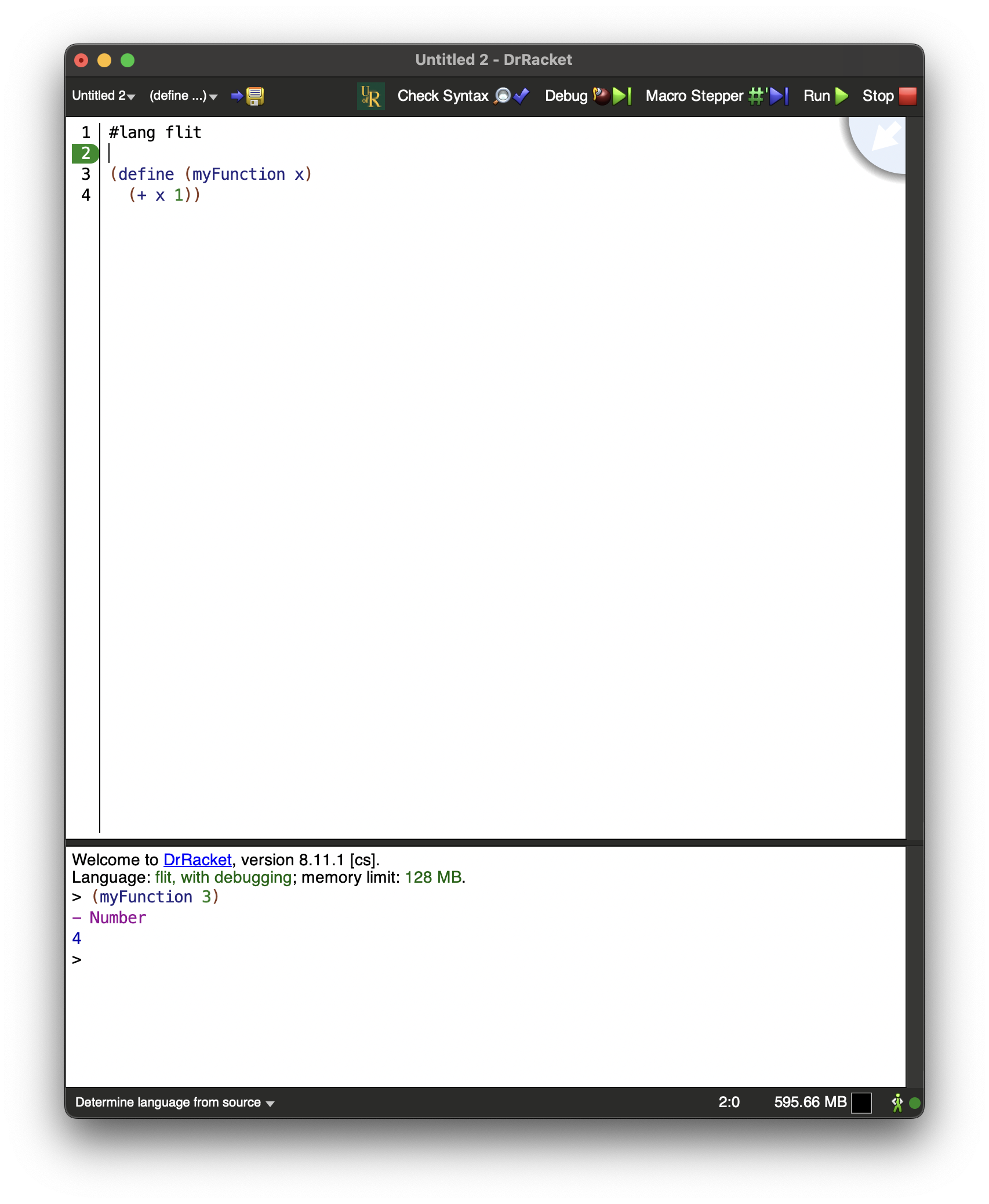
1.3.1. The Definitions Window (Code Editor)
The editor window is where you will type your Racket program.
The top of every file should begin with #lang flit, though if you’ve set up
Racket as described above this will happen by default.
1.3.1.1. Type and Syntax Errors
If there are type or syntax errors in your code, there will be pink text at the bottom of the Dr. Racket window with an error message, along with a Jump to Error button. It is very important that you look for these messages, since code that has a type or syntax error will get a grade of 0.
1.3.1.2. Useful Tools
You may want to go into Settings -> Editing -> General Editing and check “Enable automatic parentheses, square brackets, and quotes”, so that Dr. Racket will automatically insert a closing bracket whenever you write an opening one.
Typing “Ctrl-I” (or “Cmd-I” on Mac) will re-indent your code based on the parentheses. This can be very useful to make your code more readable, or to find errors based on misplaced brackets.
If you right click on a variable, function name, type name, etc. in Dr. Racket, there will be an option Jump to Binding Occurrence or Jump to Definition. This will show you where/how that thing is defined, which can be very useful when understanding the code you are given on an assignment.
1.3.2. The Toolbar
There are two main buttons you need on the toolbar.
First is the  button, which will type-check and compile your code,
as well as executing any tests or expressions that are in the file.
button, which will type-check and compile your code,
as well as executing any tests or expressions that are in the file.
If there are syntax or type errors in your file, you will get an error message after clicking Run. You MUST read these error messages: code that produces a type or syntax error will be graded 0 by the handin tool, and the messages give you important information on how to fix the problem.
To jump to the location of the problem, click on the  icon and
The other important button is the Handin Button.
At the University of Regina, this looks like this:  .
When completing an assignment, clicking this button will submit your code to the handin server.
This will run a few tests and, after a short time, return your grade, along with any tests that fail.
Read the results of the test carefully, as they will tell you what your code is doing wrong, along with
what result it should produce.
You may hand in your code as many times as you like up until the deadline of an assignment,
and each submission overwrites the last.
There may be private tests on an assignment, where you are told that a test is failing but not provided information
on which test that is. In these cases, read the problem specification carefully to determine if you have missed any edge-cases.
.
When completing an assignment, clicking this button will submit your code to the handin server.
This will run a few tests and, after a short time, return your grade, along with any tests that fail.
Read the results of the test carefully, as they will tell you what your code is doing wrong, along with
what result it should produce.
You may hand in your code as many times as you like up until the deadline of an assignment,
and each submission overwrites the last.
There may be private tests on an assignment, where you are told that a test is failing but not provided information
on which test that is. In these cases, read the problem specification carefully to determine if you have missed any edge-cases.
1.3.3. The Interactions Window (REPL)
The interactions window features a Read-Evaluate-Print-Loop (REPL),
where you can type in expressions to be read and evaluated, and have their results printed.
This is very useful for quickly testing a piece of code you wrote, or
running pre-existing code to better understand what it does.
This is similar to the prompts that Python or JavaScript give you if you type python or node in a terminal window.
If your code contains no type or syntax errors, then anything that you define in the editor window
can be used in the REPL.
1.3.4. Submitting Assignments
All assignments are to be submitted using the Handin tool. There are two ways to do this:
- By clicking the “CS350 Handin” button in the Dr. Racket toolbar
- This option is currently only available on-campus or when connected to the campus VPN, which you can set up using the instructions here
- After you submit your code, you
By uploading your file at https://racket.cs.uregina.ca/cs350-handin
At any point, you can view the test results of your most recent assignment run, including your current grade, by logging in at https://racket.cs.uregina.ca/cs350-handin. The test results are also visible on URCourses.
1.3.4.1. Submitting Multiple Times
You may submit as many times as you like until the deadline. Your grade will be the grade from the last submission before the deadline.
No late assignments will be accepted. There will be no exceptions to this rule.
1.3.4.2. Syntax and Type Errors
If your file contains syntax or type errors, the feedback in Dr. Racket or on the handin website will list the error message. This is generally the same error
Note that if your grade is listed as 0 on the test feedback, your assignment will receive zero. You must read the error messages and correct the errors to receive a non-zero grade.
It is better to submit code containing TODOs or that is failing many tests than to submit mostly-correct code that does not compile. In particular, there will be no leniency for code that is copied from ChatGPT or other websites that does not compile. Flit is one of many Racket-based languages, so Racket code you find on the Internet may have type or syntax errors when used in Flit.
These course notes and the Flit documentation are to be your main source of information for the course. If there is an error message you do not understand, then ask a question on the URCourses Discussion Forum.
1.3.4.3. Public and Private Tests
When you submit an assignment, most tests are public, meaning that you are shown the expected input and output, but some tests are private, meaning that you are told that your code did not pass the test, but not told exactly what input caused the problem or what the expected result was.
If you are passing all public tests, but failing some private tests, read the assignment specification carefully, and think about if there are any edge-cases that you might have missed when writing your code.
1.3.4.4. Submitting on URCourses (not preferred)
Submitting assignments via URCourses is available as a backup. However, it may take 15 minutes or more for the Handin Server to receive your code and upload the test results.
In the event of technical difficulties with the handin server, you may upload your assignment to URCourses, but you are then responsible for ensuring that it has no syntax or type errors.
2. The Syntax of Flit

Image credit: Randall Munroe, XKCD webcomic
2.1. Programs are Trees
If there is one key principle that you take away from this class, it should be that programs are trees.
When you write:
if (x == 3){ ... }
the code that replaces the … can be any valid C++ code. This in turn might contain another if, which contains another if,
which contains a for, which contains a while, which contains another if, etc.
In languages like C++ or Python, when you write 2 + 3 * 4,
do you mean (2 + 3) * 4, which produces 20, or 2 + (3 * 4), which produces 14?
There is a complicated set of precedence rules that C++ uses to turn your source code, which is just a sequence of characters,
into a structured, hierarchical tree.
2.2. S-expressions
In Racket, there is no need for precedence rules, because all programs are written with the tree-structure of the program made explicit. This is done by wrapping each non-leaf expression in parentheses, and having the operator (e.g. the thing an expression is doing) always occur first, followed by its arguments.
In Racket (and hence Flit), our above example would be written either as (* (+ 2 3) 4), or as (+ 2 (* 3 4)),
depending on which result intended. The structure of the program determines its meaning.
More specifically, the syntax of Dr. Racket based around something called S-Expressions.
Definition: S-Expression
Every S-Expression (or s-exp, pronounced “ess-exp”) is either:
- A literal (such as a number
3, a boolean#tor#f, a string"hello", a symbol'a, etc.) - A name (i.e., a variable or keyword) (such as
x,y,foo,map,if,type-case) - Parentheses
(...)containing one or more S-Expressions, separated by a space
Since an s-exp can contain more s-expressions inside of it, they are effectively a notation for writing trees in text:
- Names or literals are leaves
- A node with children is a bracketed expression
(e1 e2 ... en)with childrene1,e2, …,en.
Other Lisp-based languages have similar syntax, such as Scheme, Common Lisp, Clojure, Emacs Lisp, Fennel, etc.
After the #lang line, the contents of a Racket (or Flit) file are all s-exps.
Some are commands to Racket, like (require ...) for importing other files or (test expected actual)
for declaring a test.
Some are definitions (define someThing ...), which define functions, or (define-type Foo ...) which defines a type.
The rest that we see will be Flit expressions, i.e., programs that compute some value.
2.2.1. S-Exp diagram
2.3. Special Characters
There are a few characters that you can’t use in variable/function names in Racket:
- Whitespace is used to separate S-expressions
;begins a one-line comment- Parentheses
()[]{}aren’t allowed in variable names - Single,
'and double"and backtick`quotes are used for strings and special symbols # | \ , @are reserved for other purposesNames cannot begin with numbers. Otherwise, any character can occur at any point in a Racket name. For example,
odd?,hello!,x+y,$$billsand....are all valid Racket names. Boolean-returning functions usually have names ending in?, such aseven? : (Number -> Boolean) ~ or ~empty? : ((Listof 'a) -> Boolean). Likewise, functions converting between types often contain->in their names, such asnumber->string : (Number -> String)
3. Functions and Expressions
3.1. Expressions in Flit
NOTE: All Flit expressions are S-Expressions, but not all S-Expressions are Flit Expressions, since some are declarations, etc. It’s an unfortunate naming conflict.
Flit is an expression-based language. That means we’re more focused on the results of calling a function or other computations than we are with writing instructions and telling the program to “do” something.
Definition: Expression
An expression is part of a program that produces a result: it either has a value, unless it raises an error or runs forever.
3.1.1. Literals
Literals are expressions that evaluate to themselves, denoting fixed values of some type. For example:
3 ;; The number 3
#f ;; False (boolean literal)
#t ;; True (boolean literal)
"hello" ;; A String
3.1.2. Keywords
If you write (foo bar baz) where foo is a keyword in Flit, then
the result of the expression is computed however the keyword is defined.
Some keywords that we’ll see are if, let, type-case, and list.
3.1.3. Function Calls
Any expression of the form (f a) is interpreted as calling the function f with the argument a,
for any expressions f and a,
as long as f isn’t a keyword.
This extends to functions with multiple arguments: (f a b c d ...) is a call to function f
with arguments a, b, c, d, etc.
Function calls are the “default” for an expression with parentheses:
any time there’s an expression (f a b c...), it is interpreted as a call to f
unless f is a special Flit keyword.
There are no infix operators in Racket. There are only function calls. +, *, modulo, <, >, and = are all just normal functions.
So in C++, we might write:
!((3 + 4 * 5) == 23); // Type bool
The Flit equivalent of this is:
(not (= (+ 3 (* 4 5)) 23))
*has two arguments,4and5. It produces a number.+has two arguments,3and the result of(* 4 5). It produces a number.=has two arguments, the result of(+ 3 (* 4 5))and23. It produces a boolean.nothas one argument, the result of(= (+ 3 (* 4 5)) 23).
In the C++ version, the operator precedence told us that * was applied before +. In Flit and other S-Expression based languages, there is no need for
operator precedence rules. The brackets make it clear what order the operations are being applied.
You do not need to count parentheses in Dr. Racket. If you put your cursor right before the opening bracket, it will highlight up to the closing bracket. Use this if you are getting syntax errors with brackets. Here, we have used color to indicate the matching brackets.
3.2. Computing Using Equations
3.2.1. Semantics
One of the goals of this course is to answer the question: what do programs mean?
It is tempting to say that the meaning of a program is what happens when you execute it on a CPU. But does this mean a program means something different when you run it on an Intel CPU vs. on an ARM chip? If you run a program twice and the OS allocates different addresses in memory, have you actually run two different programs? These are undesirable, because it means that one piece of source code can have multiple different meanings depending on the context you use it in.
You definitely have an informal notion of semantics in your head. When you look at a piece of code and imagine how it runs, you aren’t actually allocating memory addresses
In this course, we will take this informal idea of semantics, and make it into something formal that we can reason about logically.
3.2.2. Mutable and Immutable Variables
Most of the programming languages that you have likely seen so far have mutable variables:
Definition: mutable
A variable is mutable if its value can change within its scope.
C, C++, Java, Python, JavaScript, Swift, and Go all have mutable variables. When you call a function or method, the result might be different each time you call it, even if the arguments are the same, because the body of the function can might access variables whose value has changed.
By contrast, Flit is a purely functional language:
Definition: purely functional
A programming language is purely functional if every call to a function with the same inputs produces the same outputs.
In Flit, the value of an expression only depends on the initial values of the variables in that expression. This is because all variables in Flit are immutable:
Definition: immutable
A variable is immutable if its value value is constant in its scope
Variables in Flit are more like the variables you have seen in mathematics. Consider the equation for a line, \(f(x) = mx + b\). The line is described by the different \(f(x)\) values that are possible for all the different values of \(x\), but when we’re computing a value for \(f(x)\), the value of \(x\) never changes during that computation. Each input value for \(x\) produces a single value for \(f(x)\), and the value of the output only depends on the values of the inputs.
In languages with mutable variables, the equals sign is a lie! Consider the following C++ code:
int x;
x = 3;
cout << x;
x = 4;
We have two “equations”, x = 3 and x = 4. But clearly we don’t have 3 = 4.
So we can’t really say what the variable x means without talking about the state of memory
at a particular point in time.
In purely functional languages, we can reason about actual equality. This gives us a very convenient way to describe what a program means, separately from any particular hardware. It also allows us to design programs using recipes, which we will learn about in the chapter on types.
It is possible to define semantics for programs with mutable variables, but that is (1) more complicated, and (2) ends up translating the programs to something that looks like a purely functional version anyways. We’ll see a bit more of this when we learn about tail recursion.
3.2.3. Equations
We will describe the semantics of Flit using equations. Here is our first semantic equation:
Equation: Semantics of +
For any number literals m and n, the expression (+ m n)
is equal to the sum of m and n. The other arithmetic operations have similar rules.
For example:
(+ 3 4) = 7
(+ 0 2) = 2
Notice that we have to distinguish “sum” in the
mathematical sense from the symbol +. We are saying that, the function named + in flit
takes in two numbers, and its value is those two numbers added together.
3.2.4. Types
If you type (+ 2 3) into the bottom window of Dr. Racket, you will see output that looks like:
- Number
5
The value of the expression is 5, but Racket is also informing us that the type of the expression is Number.
If you instead write (and #t #f), we will get a value of #f with a type of Boolean. And if you write
"hello", we will get a value "hello" with the type String.
We will learn more about types in a later chapter.
3.3. Conditionals
If-expressions are built into Flit:
(if #f 3 4)
(if #t 3 4)
(if (odd? 7) (+ 7 1) (+ 7 2) )
(if (odd? 6) (error 'crash "CRASH") (+ 6 9000) ) ;; Doesn't run the error
To evaluate (if A B C), Flit evaluates A. If it is produces #t, then it evaluates B and produces its result.
If evaluating A produces #f, then Flit evaluates C and produces its value as the result for the (if A B C).
The true branch is not evaluated if the condition is false, and vice versa.
We can describe if with the following equations:
Equation: Semantics of If
For any expressions EXPR1 and EXPR2
(if #t EXPR1 EXPR2) = EXPR1(if #f EXPR1 EXPR2) = EXPR2
This is slightly different from if that you might have seen in C++ or Python.
There, if is a statement: it evaluates its boolean, and then does something if it is true.
In Flit, if doesn’t do anything, like printing or updating values. It is an expression,
and what value it has depends on whether the boolean it is given produces true or false.
If you are familiar with the cond ? foo : bar syntax in C/C++, this is similar.
3.3.1. Example
Let’s use the equational rules we have so far to evaluate some example code to a result.
(if (< 3 4) (if (= (+ 2 6) 4) (* 3 33) (+ 50 50)) 9001)
We can deduce this result by applying our rules. We use the underscore _ to show which part of the expression is being simplified by the rule.
| Expression | Rule | |
|---|---|---|
(if _(< 3 4)_ (if (= (+ 2 6) 4) (* 3 33) (+ 50 50)) 9001) |
start expression | |
(_if_ #t (if (= (+ 2 6) 4) (* 3 33) (+ 50 50)) 9001) |
Computation rule for < |
|
(if (= _(+ 2 6)_ 4) (* 3 33) (+ 50 50)) |
True rule - Semantics of If | |
(if _(= 8 4)_ (* 3 33) (+ 50 50)) |
Computation rule for + |
|
(_if_ #f (* 3 33) (+ 50 50)) |
Computation rule for = |
|
(+ 50 50) |
False rule - Semantics of If | |
100 |
Computation rule for + |
Evaluating examples like this will get much more interesting once we have functions and variables, which we’ll see below.
3.4. Functions
Flit is a functional language, so the main way that we will write programs is by
defining one or more functions that compute the results we want.
So far we have not actually seen any programs with variables: if is not very useful
if we only give it constant expressions, since the same branch will always get taken.
Functions are one way to use variables in Flit.
Just like in C++ or Python, you write a function in Flit by choosing a variable name for the
function’s input, and then writing what the function should do with that input.
However, because Flit is purely functional, the only thing a function can do is return a value.
So there is no return statement in flit: you just write the expression which is the value that the function
returns, referring to the variable representing the input.
3.4.1. Function Definitions
Functions are defined using the define keyword.
The name of the function occurs in brackets, followed by the name of its input variables.
For example:
(define (square x) ;; Gives a name to the input variable
   (* x x)) ;; Return value for whatever the input is
It is not a coincidence that the function is defined using similar notation to
function calls: the definition is saying
“for any value x, the value of (square x) is defined to be (* x x)”.
Try pasting the definition of square into your code window, then typing (square 5)
into the bottom window (i.e. the REPL). You should get a result of 25.
In our definition, x is just a name for a variable we chose. It would be exactly equivalent to write:
(define (square someNumberInput) ;; Gives a name to the input variable
   (* someNumberInput someNumberInput)) ;; Return value for whatever the input is
A key skill in this course is paying attention to which things are keywords and which things are arbitrary names we choose.
We can use any expression in the body of a function. Conditionals are now useful, since we can choose to do something different depending on the value of a function’s input. For example, to calculate the absolute value of a number:
(define (abs num)
  (if (> num 0)
      num
      (* num -1)))

(abs 3) ;; Gives 3
(abs -2) ;; Gives 2
This says “if the input num is greater than zero, return num. Otherwise, multiply num by -1 and return that”.
3.4.2. Multi-Argument Functions
We can define multiple argument functions by giving multiple variable names when we define a function, and can call a function with multiple variables.
(define (triangleArea base height)
  (/ (* base height) 2))

(triangleArea 3 4) ;; Gives 6
Again, base and height are just the names we chose to give the input variables.
3.4.3. Semantics of Function Calls
We can capture the above intuition for functions as a formal rule. Fundamentally, functions are about substitution:
Equation: Semantics of Function Calls
If a function f is defined as:
(define (f x) body)
then for any expression EXPR, we have:
(f EXPR) = [x => EXPR]body
where [x => EXPR]body is body, with all non-shadowed occurrences of the variable x replaced by EXPR
3.5. Local Variables
In languages like C++, one can declare a local variable at any point in a program.
It can be used anywhere in its scope, which is usually untill the next ending curly-bracket }.
These are useful for breaking computations up into small, readable parts, and for saving values so
we don’t need to store them more than once. For example:
   int toThePowerOf4(int x){
     int xSquared = x * x;
     return xSquared * xSquared.
   }
We could have written x * x * x * x, but that is both
slower (since we have to do three multiplications instead of two),
and harder to read.
Flit allows you to do something similar, but with three main differences.
First, Flit is explicit about the scope of variables. In a let expression, a defined variable
is only in scope for later definitions of the same let, and the result expression of the let.
In a purely functional language, there is nothing to do with a variable but use it to compute a value,
so the body of a let is a single expression.
Second, once a local variable is given a value, its value stays the same as long as it is in scope.
3.5.1. Let Expressions
The above toThePowerOf4 example looks like the following in Flit:
  (define (toThePowerOf4 x)
    (let ([xSquared (* x x)])
    (* xSquared xSquared)))

  (toThePowerOf4 2) ;; Gives 16
The syntax is as follows. We have:
- The keyword
let - A set of (usually round) brackets
- A sequence of variable-definition pairs (usually in square brackets)
- A final expression, which uses the defined values to compute a value
Note that the round vs. square brackets are just for readability. One can use round brackets everywhere and it will work the same.
In the above example, when we call (toThePowerOf4 2),
the number 2 is used as the value for x. Then, a local variable xSquared is
defined with the value * 2 2, which is 4. Finally, the result of the whole let expression,
and the function call itself, is * xSquared xSquared. Since xSquared was defined to be 4,
this gives us 16.
3.5.2. Multi-Variable Let
We can define multiple variables at once, and we can even use previous definitions when defining later variables. This is the reason for the nested brackets above: the first (round) set of brackets is around the sequence of variable declarations, and each square brackets in those round brackets contain a variable-expression pair. For example:
  (define (sumOfSquares x y)
    (let ([xSquared (* x x)]
          [ySquared (* y y)])
      (+ xSquared ySquared)))

  (sumOfSquares 2 3) ;; Gives 13
We may sometimes write let* instead of let, since this is the syntax for multiple definitions
in Racket that can refer to previous variables. In Flit let and let* are defined to be identical.
3.5.3. Semantics of Let
Just as with functions, we can precisely describe the meaning of let-expressions using substitution.
Equation: Semantics of Let for Single Variables
For any expression EXPR, we have:
(let ([x EXPR]) body) = [x => EXPR]body
where [x => EXPR]body is body with all non-shadowed occurrences of x replaced by EXPR
Intuitively, to run a let, we through the list of variables, computing its value
from the given expression, using the values of previous variables where necessary.
Finally, we get to the final expression, where we replace the variables
with the values we had previously computed.
The value of the final expression is the value of the entire let expression.
Anything we can write with let, we can write without, by replacing each variable with
its value. In a language with no side-effects, like Flit, there will be no difference in the results,
although it might be slower, since some computations might be run more times than the would have with let.
4. Types
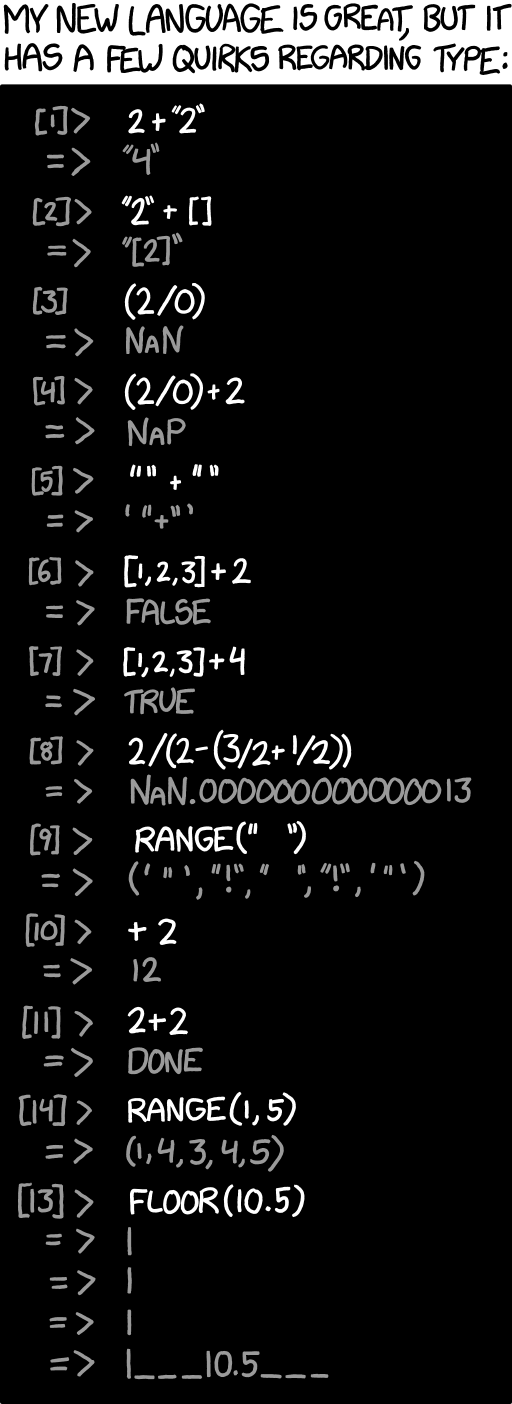
Image credit: Randall Munaoe, XKCD webcomic
When you call a function, how do you know what arguments you are allowed to give it? And how do you know what you can do with the result? If you are lucky, whoever wrote the function might have given some documentation describing valid inputs and outputs.
In statically typed languages, types are a very powerful tool for succinctly and formally
describing an interface: what a function takes as input, and what it will produce as output.
Types cannot capture all invariants: no (mainstream) languages give a way to use types to say that in x / y the value of y must be nonzero.
(If you want to see a language where this is possible, take CS 490DO).
But they can eliminate a huge class of bugs in a way that is relatively easy for the compiler to check, without
requiring much extra work from the programmer.
4.1. Static and Dynamic Typing
Flit is a statically typed language. This means that its Code with type errors is not code at all. Popular statically typed languages include C, C++, Java, Go, Rust, and Swift.
Dynamically typed languages, conversely, do not check types before they run. They keep track of some type information at run-time so that, if an operation is given an input it can’t handle, a run-time exception is raised. Popular dynamically typed languages include Python, JavaScript, Ruby, PHP, Lua, and R.
Some languages have a mix of static and dynamic typing, such as TypeScript. Even Python allows for some type annotations, and external type checkers have been written on top of languages like Python and JavaScript.
Flit is also what is sometimes called a strongly typed language, meaning that there are
no implicit type conversions. In Javascript, you have "1"onePlus=="11" but "1"-1==0 because of
the different implicit conversions + and - do when given string arguments.
In Flit, no such conversions happen. The + function expects a number, and if you have a string,
you must first pass it to some function that converts strings into numbers.
The purpose of this course is not to convince you that static typing is better than dynamic typing. Even the vanilla variant of Racket is dynamically typed. But you are expected to learn how to think in a statically typed context. When purely functional programming and static types are combined, they allow for type driven development, where the types of a function you’re trying to write can guide you towards a solution. Flit has special tools to help with this, that we will learn about in this section.
4.2. Types in Flit
4.2.1. Some Notation
In the theory of programming languages, it is conventional to use the colon `:` to mean “has type”.
So when we write x : Number, this means that x is an expression that has type Number.
There is a version of this you can use in Flit. For any expression e, you can write
(has-type e : T), and the compiler will check that e actually does have type T. For example:
(has-type 3 : Number)
(has-type #t : Boolean)
(has-type "hello" : String)
Note that this doesn’t do anything. It just takes whatever expression you give it, and produces that same expression as a result, unless the type you’ve given mismatches the expression’s actual type, in which case the compiler raises an error.
4.2.2. Why Write down types?
Flit has type inference, meaning that it can deduce the types of expressions without the programmer writing them down. So why bother writing types?
- Writing a type is like running an infinite number of tests. The compiler ensures that for every possible input to the program, the inputs to each function will match what the function expects.
- Types are a sanity check: if you have one set of types in your head, but the actual type of some code is different, writing down what you expect the types to be lets you know, early on, if your intuition does not match the code.
- Types are an important form of documentation. When you look at a function in an API or library, the first question is often “how the heck do I call this thing?” Types make it very clear exactly how you should invoke a function. Even in languages like JavaScript and Python, types have been adopted to a limited degree for the purposes of documentation.
4.2.3. How to think about types
There are two man questions to ask when looking at a type, which will help to understand that type:
- How can I directly create a value of this type?
- How can I directly use a value of this type?
We specify “directly” because you can always create a value of type T by calling a function
that returns type T, and use a value of type T by giving it to a function that takes a T as input.
But how are would those functions be defined? Eventually you need some primitive operations for dealing with
values of a type.
4.2.4. Numbers, Strings and Booleans
Much like you’ve seen in C++, Flit has built-in types Number, String, and Boolean.
4.2.4.1. Numbers
The primitive way to create a number is a literal, such as 3, 22, or 0.00001.
The primitive way to use a number is with the built-in arithmetic operations.
Some of these produce numbers, like +, -, *~, /, modulo, etc.
Others are comparison operations which produce booleans, such as zero, <, <=, >, >=, =, etc.
While they are built-in, these primitive operations are to be called as functions, and have been assigned function types. For example, for addition:
+ : (Number Number -> Number)
This is to be read as “+ is a function which takes two Number expressions as input, and has a return value of type Number”.
The other operations have similar types:
- : (Number Number -> Number)
add1 : (Number -> Number)
sub1 : (Number -> Number)
< : (Number Number -> Boolean)
<= : (Number Number -> Boolean)
> : (Number Number -> Boolean)
>= : (Number Number -> Boolean)
= :  (Number Number -> Boolean)
zero? : (Number -> Boolean)
4.2.4.2. Strings
The primitive way to create strings is with string literals, which are always
wrapped in quotation marks, such as "hello", "goodbye", "250", or the empty string "".
To use strings, we mostly use built-in operations. For example:
string-ref : (String Number -> Char) ;; Get the nth character of a string
string-append : (String String -> String) ;; Make a new string that is the first, followed by the second
Notice that you can kind of tell what the operations do simply by their types.
For string-ref, we have as input a String and a Number, and we get a single Char.
So we know we’re looking at a string and getting a character (probably from that string), and
which character will depend in some way on a number we give.
Likewise, just from the types we can see that string-append takes two strings and somehow
makes a new string based on them.
4.2.4.3. Booleans
The syntax for creating boolean literals in Flit is #t and #f,
which is just the Racket-flavored way of writing true and false.
To use a boolean
Note that there the usual built-in operations on booleans, but these can be defined
in terms of if.
and : (Boolean Boolean -> Boolean)
or : (Boolean Boolean -> Boolean)
not : (Boolean -> Boolean)
For example, consider (if a b c)
4.2.5. Types for Conditionals
In Flit, if is not a function. The reason for this is that we
don’t want to evaluate both branches of the if, just the true branch or the false branch,
depending whether the condition was true or false.
If we have “if some condition, then fire the missiles, else print OK”, you don’t want to fire the missiles,
print OK, and then check afterwards which one was the correct action to take.
This will be very important later with recursion, where only evaluating one branch is critical to making sure things don’t run forever.
Because if is not a function, we can’t give it a function type. Instead, we have to specify a rule, which is built into the Flit compiler,
for when an if expression is or isn’t well typed. The rule is as follows:
Rule: Typing for If
For any expressions EXPR1, EXPR2 and EXPR3,
- if
EXPR1 : Boolean, and - there is some type
Tsuch thatEXPR2 : TandEXPR3 : T,
then:
(if EXPR1 EXPR2 EXPR3) : T
There are two ways to look at this rule. One is from a checking perspective.
Suppose the programmer writes (if x y z).
Then the Flit compiler will:
- check that
xhas typeBoolean - check that
yandzhave the same type, regardless of what that type is. Let’s call this typeT. - Assign
Tas the type of the whole expression(if x y z), which is used to check however it is used.
So Flit does not let you write (if x 3 "hello"). Every expression in Flit must have a type, but what would the type of this expression be?
It can’t be Number, since we get a String if x is false. But it can’t be String since this doesn’t work if x is true.
The second perspective is from a building perspective. Say we’re trying to make a value of some type T.
The typing rule for if says that, one way to build a T is with a boolean, and two other values of type T.
We’ll see more about this perspective in the section on holes.
4.2.6. Types for Functions
We’ve already seen some examples of function types with our primitive operations on numbers and strings.
The function type (S -> T)
is the type of functions that take an argument of type S and produce a return value of type T.
There are two typing rules for functions: one for making functions, and one for calling functions.
4.2.6.1. Function Calls
We’ll start with the rule for calling:
Rule: Typing for Function Calls
For any expressions EXPR_f and EXPR_arg
- if
EXPR_f : (T_arg -> T_ret) - and
EXPR_arg : T_arg - then
(EXPR_f EXPR_arg) : T_ret
From our checking perspective, this means that when you write (f x)
in Flit, it does a few things:
- It checks that
fis a function, e.g. its type isT_arg -> T_retfor someT_argandT_ret - It checks that the argument
xhas typeT_arg, e.g. the actual type of the argument matches the type of the argument the function is expecting It determines that the function call’s return value has type
T_ret, so it checks that wherever you only the result of(f x)in places expecting aT_ret.For example, if we write
(zero? #f), then Flit looks atzero?and sees that it has type(Number -> Boolean). It then looks at#fand sees that it has typeBoolean, which is not the argument type ofzero?. So there is a type error.If instead we write
(zero? (+ 2 3), then Flit sees that(+ 2 3)has typeNumber, which is the expected argument type forzero?. Then it knows that the result of the call(zero? (+ 2 3)has typeBoolean. So we can write(if (zero? (+ 2 3) 5 6), sinceifexpects aBooleanfor its condition, but we can’t write(add1 (zero? + 2 3)), sinceadd1expects its argument to be aNumber.From a building perspective, this means that, if we want to produce a value of type
T2, then one way to do that is to use a value of typeT1and use the functionfto transform that value into one of typeT2.
4.2.6.2. Function Definitions
The rule for defining a function is slightly more complicated, because functions introduce variables. We don’t want to check that a function’s variable has a certain type: we don’t know what the variable will be, since it’s just a placeholder for whatever actual arguments we give when we call the function. Instead, when we define a function, we are deciding what the type of the variable should be. So we instead assume that the variable has whatever type we’ve specified, and then use that for type checking the body of the function.
Rule: Typing for Function Definitions
Consider a function definition:
  (define (f [x : T_arg])
    : T_ret
    body)
- if
body : T_ret- under the assumption that
x : T_arg
- under the assumption that
- then
f : (T_arg -> T_ret)
From our checking perspective, this means that, when you write:
  (define (f [x : T_arg])
    : T_ret
    body)
Flit will type check it by remembering that x is a placeholder with type T_arg,
and then checking that body has type T_ret. Whenever we see x inside body,
it assumes that it has type T_arg, even though we don’t know what its value is.
From a building perspective, the typing rule means that, if you want to produce
a function of type (T_arg -> T_ret), you do this by making an expression of type
T_ret, but where you are allowed to refer to a new variable x with type T_arg
when you are building your function body.
Notably, /you do not need a value of type T_arg to produce a value of type
T_arg -> T_ret.
You can think of a function as a recipe. Your recipe might say “If you add flour, sugar, and milk, then you get batter.” You don’t actually need to have flour, sugar, and milk just to write down the recipe. Then, calling the function is like making the recipe: once you have the actual ingredients, you can follow the recipe steps and get the result.
Since Flit has type inference, we can replace [x : T_arg] with x
and remove the : T_ret annotation, and Flit will automatically add them
based on whatever you give as the function body.
The details of how it does that are beyond what we will learn in this class.
4.2.6.3. Multiple Arguments
The typing rules for calls and definitions generalize to multi-argument functions in the expected way. For function calls, the type of the $i$th argument must match the $i$th parameter type in the function type. For function definitions, we check the body under the assumption that there are \(N\) variables, each of which has the corresponding type from the arrow type.
Rule: Typing for Function Calls (multiple arguments)
For any expressions EXPR_f and EXPR_arg
- if
EXPR_f : (T_1 T_2 T_3 ... TN -> T_ret) - and
EXPR_arg_i : Tiforifrom1toN - then
(EXPR_f EXPR_arg_1 ... EXPR_arg_n) : T2
and for definitions:
Rule: Typing for Function Definitions (multiple arguments)
For a definition (define (f x1 ... xN) body)
- if
body : T_ret- under the assumption that
x1 : T_1…xN : T_N
- under the assumption that
- then
f : (T_1 ... T_N -> T_ret)
4.2.7. Polymorphism
Some functions in Flit are polymorphic, meaning they work with any number of types.
This is similar to templates that you might have seen in C++,
like vector<T>, which, for any type T, is the type of vectors whose elements are of type T.
Then if you call push_back(x) on a value of type vector<int>, the x you give should have
type int, and if you call it on vector<bool>, then x should be a boolean, etc.
We will see the syntax for polymorphism, and many examples, in our section on lists.
4.3. Programming with Holes
In a strongly typed functional language, the type of something
can tell us a lot about what that function does.
When we see f : ((Listof Number) -> Boolean),
we don’t know exactly what f does, but we know that it’s looking at list of numbers,
and checking some property of that list, returning true if it holds and false if it doesn’t.
There are no side-effects in Flit: all that f can do is look at a value of the input type
and produce a value of the output type.
Likewise, when you are writing code, knowing the type of the code you’re trying to write
gives a lot of guidance for how to implement it. For example, if your function has a Boolean as an input,
you’re probably going to use if at some point, or you’re going to pass it off to some other function
that uses a Boolean.
In Flit, this intuition is integrated into the programming environment itself.
If you write down the type of a function you are producing, you can omit all or part of the implementation
by adding the placeholder expression TODO. Dr. Racket will then look at your code and give you a list of
all the TODO instances which you need to fill in.
More importantly, when you put the cursor on a particular TODO, the editor will tell you
what local variables are in scope (along with their types),
and what the type of the expression you are trying to produce is.
We call this the Goal: it tells you what type of value your function must produce,
and what you have available when producing that value.
A goal in Flit looks something like this:
x : Number
y : Boolean
z : String
-------------------
TODO : Number
The things above the line are the names and types of in-scope variables,
which you are allowed to use when filling in the TODO.
Of course, any standard library functions or previous definitions are in-scope too,
but there are too many of them to list in every single goal.
Below the line is the goal type. When we replace TODO with an expression,
whatever it is, its type must match the goal type.
4.3.1. The Design Process
There is an informal process to writing code in a functional language with holes.
To write a function with type (T1 T2 ... T_N -> S)
- Write a dummy function with the correct type
- Leave the function’s body as
TODO.
- Leave the function’s body as
- Write some tests that capture the expected behaviour of the function
- Repeat until all tests pass and the function has no more holes:
- Pick a hole
- Fill in that hole with something that matches the goal type
- This might contain more holes
- If a test fails, find the part of the code producing the wrong output and replace it with a
TODO
4.3.2. Operations on Holes
If programming is like building a sculpture, then typed functional programming is like building with Lego. There are many types of pieces, but they all have to fit together in a certain way.
There are standard things we can do when trying to replace a hole in a function with an actual implementation. Just like Lego, the pieces of a functional program fit together in a predictable way. Below are some common steps you might take when trying to write a function:
4.3.2.1. Filling a Hole
If you know that a certain value must be the
For example, to complete this code:
(define (add5 [x : Number])
    : Number
  TODO)
Flit gives us the following context:
x : Number
-------------------
Number
If the function does indeed always add 5 to its input,
then we can use (+ x 5) as the result:
(define (add5 [x : Number])
    : Number
  (+ x 5))
Since x has type Number (as we see above the line in the goal),
and 5 is a Number, and + has type (Number Number -> Number),
then (+ x 5) : Number, which is the type of the thing we need to replace the TODO.
Of course, we could have just returned x, or 5, or -100000000.
These would all be type-correct, but would note give the behaviour one expects from
a function called add5.
This is why we still should write tests to accompany our functions.
4.3.2.2. Refining a Hole into Many Holes
When we learned about the typing rules for functions, we mentioned that
we can interpret f : (S -> T) to mean “If you have an S, you can make a T”.
In terms of holes, this means that you can turn any TODO : T
into one of type S by replacing the TODO with (f TODO).
Flit’s type inference is smart enough to figure out that this resulting TODO has type S.
If the function you call has many arguments,
then you will need many TODOs.
4.3.2.3. Case-Splitting on a Hole
Functions are only interesting if they do different things when given different inputs.
So usually, we don’t want the body of a function to always produce the same thing:
it should look at its input, and branch depending on what that input does (or call an operation that does, like +).
Whenever we have a TODO : T, we can replace it with (if TODO TODO TODO).
This leaves us with three new expressions to write:
- An expression of type
Boolean, which is the condition theifis checking - A result of type
Tto produce if (1) returns true - A result of type
Tto produce if (1) returns false.
Doing this takes one hole and replaces it with three, but each of those holes is simpler, because you know something about it.
For example, suppose we are trying to write a function which computes the maximum of two numbers. The inputs are numbers, and their maximum will also be a number, so we can write a skeleton:
(define (max [x : Number] [y : Number])
  : Number
  TODO)
This gives us the goal:
x : Number
y : Number
-------------------
TODO : Number
We’re trying to produce a Number, and there are two Numbers we can use to do this.
Now, we know that there’s not going to be a specific value which we use in place of TODO, since sometimes
the maximum of two numbers is the first one, and sometimes the maximum is the second one.
(max 2 3) and (max 3 2) should both produce 3. So we’re going to have to case-split depending on some condition.
We can replace the TODO with an if expression:
(define (max [x : Number] [y : Number])
  : Number
  (if TODO
      TODO
      TODO))
Now we have three goals to fill. Let’s look at the first one:
x : Number
y : Number
-------------------
TODO : Boolean
We have numbers x and y that we can use, and we need to produce a boolean, which determines
the two different cases.
For this particular function, the thing that determines what max should return is
which number is bigger.
There is a standard library comparison function < : (Number Number -> Boolean). So we can refine
the hole by calling it:
(define (max [x : Number] [y : Number])
  : Number
  (if (< TODO TODO)
      TODO
      TODO))
Now we need to decide what numbers we’re comparing, to fill the first two holes with type Number.
In this case, we’re just comparing the inputs to the funcion, so we can use x and y respectively.
(define (max [x : Number] [y : Number])
  : Number
  (if (< x y)
      TODO
      TODO))
Flit will now tell us that both remaining holes have type Number.
The first one is the placeholder for the value to return when (< x y) is true.
If x is less than y, then the maximum of them is y. So we can replace the TODO with y, since
both have type Number.
Likewise, if the condition is false, then x is greater than or equal to y,
so we can replace the last TODO with x. This gives a final implementation of:
(define (max [x : Number] [y : Number])
  : Number
  (if (< x y)
      y
      x))
In the sections on recursion and datatypes, we will see a more general form of case-splitting for holes.
5. Recursion and Lists
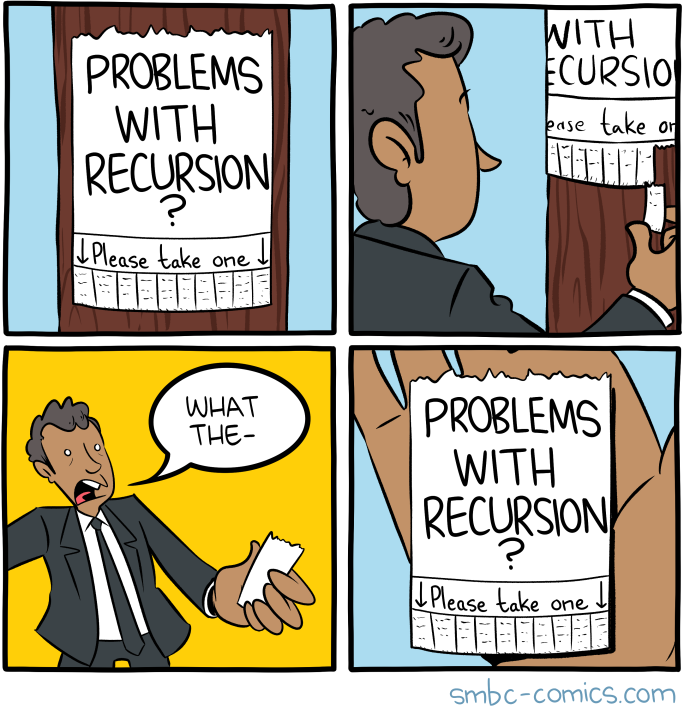
Image credit: Zach Weinersmith, SMBC webcomic
So far, we have only seen functions with a finite number of cases.
Each if has two possible cases, and we can add more cases by nesting if expressions.
But what if there are an infinite number of cases?
This can happen when there is no maximum on the size of your data, such as with numbers or lists.1
In imperative languages like C++ or Python, when we have an input of unknown size, we handle it
using loops.
To do something with each element of an array, you loop from 0 to n-1.
This works even if you don’t know what n is!
But loops are a fundamentally imperative structure:
there is no “result” of a loop, other than the changes to variables’ values
that happens after running it.
In purely functional programming, we use recursion instead of loops. You may know recursion as “functions calling themselves,” or have seen jokes about self reference, but the key skill we will learn is breaking a problem down into smaller instances of the same problem, so that we can eventually get down to an input that is so small we can find the result for it trivially. A lot of data has a naturally tree-like, hierarchical structure, and recursion is the natural way to process hierarchical data. A number is either zero, or one plus a smaller number. A list is either empty, or it has one element followed by some smaller list. A binary tree is either a leaf, or an internal node with exactly two children, both of which are also binary trees.
In the section on generative recursion, we will see how recursion and loops are related. But for now, it is best to forget about loops, and follow the recipe we teach in the following sections.
5.1. The Recipe for Recursion
Throughout this entire course, and any time you are writing a recursive procedure, here is the key way to think.
Definition: Principle of Recursion
When writing a function f of type (S -> T), when trying to produce the body of type T for some input x : S,
you can assume that you already have a function of type (S -> T) that produces the correct output for all inputs
as long as they are smaller than x.
Call f recursively wherever you would use this hypothetical function.
What this means is that, when you write a recursive function, the structure of your data will guide
which recursive calls you make.
Unlike the memes, you don’t call (f x) to define (f x).
You deconstruct x, then call f on some smaller part of x,
then use that to build your final result.
If x is something that cannot be broken into smaller parts, then you have a
base case, and you should not call f recursively in this case.
When data is structured hierarchically, we can follow a recipe or template for how to solve problems on that data. This isn’t to say that we will never deviate from the template, or that it is always the best way to solve a problem, but for the most part, the structure of the data guides the structure of the solution, as we will see in the following sections with numbers and lists.
5.2. First Examples: Recursion on Numbers
5.2.1. The Hierarchical Structure of Numbers
We consider only natural numbers \(\mathbb{N}\), e.g., whole, non-negative numbers, e.g. 0,1,2....
Every natural number is equal to either:
0, or;monePlusfor some other natural number, e.g.m = n-1
What this means for recursion is that, 0 will be the typical base case,
and when (> n 0) is true, the typical recursive call we will make is with argument (- n 1).
5.2.2. A Non-recursive Example
To start, we’ll look at how to program by cases for natural numbers, without recursion.
As an example, consider a function that we’ll call predecessor.
For positive numbers, (predecessor n) is just (- n 1), e.g. the number right before that number.
However, if we want our result to be non-negative, then we can’t do (- 0 1).
So we’ll define (predecessor 0) to be 0.
Essentially, the predcecessor function moves one step back on the number line, unless
we’re at the end, in which case it doesn’t move at all.
As Flit code, it looks like this:
(define (predecessor [n : Number])
  : Number
  (if (zero? n)
      0 ;; zero case
      (- n 1)) ;;non-zero case
)
;; tests
(predecessor 5)
(predecessor 9001)
(predecessor 0)
Running those tests gives the expected results:
Let’s look a little closer at what this function does.
It starts with an input n, which we know nothing about, except that it is a number.
To learn something about it, we check if it is zero.
(Recall that zero? has type (Number -> Boolean)).
In the case that it is zero, we return zero, which matches the specification above.
If it is not zero, and we assume that it was a natural number to begin with, then
it is safe to subtract one from it.
So in the case that n is not zero, we can return (- n 1).
5.2.3. The Template of Cases for Numbers
The format of predecessor is quite general, and can be used any time
we want a function with different cases depending on if a number is zero or not.
The template looks like this:
(define (NUMBER_NONREC_TEMPLATE [n : Number])
  : 'T
  (if (zero? n)
      TODO ;; zero case
      (let ;;non-zero case means that n is one plus some smalelr number
          ([nMinus1 (- n 1)])
        TODO)))
This is valid Flit code, which you can copy when completing your assignments.
It won’t run, because each branch is just a TODO
The template can be modified to add extra parameters of any type,
and we have left the return type as a generic type 'T, which you can
replace with whatever the return type is for the function you’re trying to write.
What this template says is, if you’re writing a function that looks at a number,
and you want to produce a return value of type 'T, then it is enough to give a 'T
to be returned for when n is zero, and to give a way to compute a 'T from (- n 1)
when n is greater than zero.
We make a new variable named nMinus1, and give it the value (- n 1), assuming that
whatever fills in the second TODO will refer to that variable.
It isn’t strictly necessary to use a let and a variable here,
but it saves us from possibly having to write (- n 1) a bunch of times,
and makes it more clear that we have decomposed n into 1 plus some smaller value.
There aren’t a lot of useful functions we can write with this template. We need to make it more powerful by adding recursion, which we do in the next section.
5.2.4. Our First Recursion, Factorial
One thing to notice about the template above is that,
as long as our number is a non-negative integer,
there are only a finite number of times that we can decompose a number into the number
one smaller before we hit zero.
So if we make a function that calls itself, but that only ever calls itself on n-1 when computing (f n),
there will be a finite number of recursive calls, since we will eventually hit a base case of zero.
This means that you can trust the recursion: you do not need to “unroll” the recursion in your head and think about a sequence of functions calling itself. Instead, you can just pretend that you already have a magic oracle which will give the correct answer for the function you’re trying to write, as long as you only call it on smaller numbers than the current input.
To see this, let’s look at the factorial function, which is kind of the “hello, world” of recursion. You might remember from math class that \(n! = 1 \times 2 \times \ldots \times n\). So:
- \(0! = 1\)
- \(1! = 1\)
- \(2! = 1 \times 2 = 2\)
- \(3! = 1 \times 2 \times 3 = 6\)
- … etc.
It might seem a bit strange, but \(0!\) is defined to be 12, the reasons for which will be more clear once we try writing our recursive function. A general guideline is that, for something with addition, zero is a good value for the base case, and for multiplication, one will be a good value. If you chose zero, and then multiplied it with anything, you would only ever get zero, which is usually not what you want.
How can we write a function that computes factorial in Flit? We can start with our template.
(define (factorial [n : Number])
  : Number
  (if (zero? n)
      TODO
      (let
          ([nMinus1 (- n 1)])
          TODO)))
We know that factorial takes a number as input, and returns a number as output, so we know the types for our template.
And we even already know what we should return if n is zero, since we saw above that \(0! = 1\).
So we can fill in the first TODO:
(define (factorial [n : Number])
  : Number
  (if (zero? n)
      1
      (let
          ([nMinus1 (- n 1)])
          TODO)))
Now the question is, how can we caculate the factorial for \(n-1\)?
Remember, the rule with recursion is we can assume the function gives the right result
as long as we call it on a smaller input. So we can call ourselves recursively on nMinus1
and be confident that what it returns is the correct value for \((n-1)!\).
We’ll make a new variable for the result of this recursive call and add it to what we have so far:
(define (factorial [n : Number])
  : Number
  (if (zero? n)
      1
      (let
          ([nMinus1 (- n 1)]
           [factnMinus1 (factorial nMinus1)])
          TODO)))
So now we have the value of (factorial (- n 1)), and we need to return the correct result for (factorial n).
Going by our pen-and-paper definition of factorial, we can see that \((n-1)! = 1 \times 2 \times \ldots n-1\),
and that \(n! = 1 \times 2 \ldots \times n-1 \times n = (n-1)! \times n\).
So given the value of (factorial (- n 1)), we can get the factorial of n by multiplying by n:
(define (factorial [n : Number])
  : Number
  (if (zero? n)
      1
      (let
          ([nMinus1 (- n 1)]
           [factnMinus1 (factorial nMinus1)])
          (* n factnMinus1))))

;; Test it now that we can run it
(factorial 0)
(factorial 1)
(factorial 2)
(factorial 3)
(factorial 4)
(factorial 5)
Running this code, we can see that it gives the correct results:
1
1
2
6
24
120
5.2.4.1. A More Succinct Version
Having nMinus1 and factnMinus1 makes our function fit better into our template, but
since we only use each variable once, we can inline them and write the function as follows:
(define (factorial [n : Number])
  : Number
  (if (zero? n)
      1
      (* n (factorial (- n 1)))))
This is a much shorter way to write the exact same function.
When you are first learning recursion, using let to explicitly name
your variables and results of recursive calls is probably a good idea,
but as you get more comfortable with recursion, you can write definitions in this shorter style.
5.2.4.2. Walking through the execution
As much as recursion seems like magic, and
we treat it like magic when assuming it produces the correct result for smaller values,
the equations we gave earlier are enough to understand recursion.
Let’s look at (factorial 3):
(factorial 3) |
= | (if (zero? 3) 1 (factorial (- 3 1))) |
Equation for function definitions |
| = | (if #f 1 (factorial (- 3 1))) |
Definition of zero? |
|
| = | (* 3 (factorial (- 3 1))) |
Equation for if #f |
|
| = | (* 3 (factorial 2)) |
Definition of - |
|
| = | (* 3 (if (zero? 2) 1 (factorial (- 2 1)))) |
Equation for function definitions | |
| = | (* 3 (if #f 1 (factorial (- 2 1)))) |
Definition of zero? |
|
| = | (* 3 (* 2 (factorial (- 2 1)))) |
Equation for if #f |
|
| = | (* 3 (* 2 (factorial 1))) |
Definition of - |
|
| = | (* 3 (* 2 (if (zero? 1) 1 (factorial (- 1 1))))) |
Equation for function definitions | |
| = | (* 3 (* 2 (if #f 1 (factorial (- 1 1))))) |
Definition of zero? |
|
| = | (* 3 (* 2 (* 1 (factorial (- 1 1))))) |
Equation for if #f |
|
| = | (* 3 (* 2 (* 1 (factorial 0)))) |
Definition of - |
|
| = | (* 3 (* 2 (* 1 (if (zero? 0) 1 (factorial (- 0 1)))))) |
Equation for function definitions | |
| = | ((* 3 (* 2 (* 1 (if #t 1 (factorial (- 0 1))))))) |
Definition of zero? on 0 |
|
(* 3 (* 2 (* 1 1))) |
Equation for if |
||
6 |
Definition of * |
That is, there are no special rules for understanding recursion using equations.
(factorial 0) is equal to 1, and (factorial n) is equal to (* n (factorial (- n 1)))
whenever n is greater than 0.
Until we know what n is, there is no way to further simplify (factorial n) with our equational rules.
Notice that, if we had chosen 0 as the result for (factorial 0) instead of 1, the whole thing would have
multiplied to 0, which is not at all what we want.
5.2.5. The Recursive Template for Numbers
The way we figured out factorial is broadly applicable to anything we are computing with natural numbers.
In general, the template for recursion on natural numbers is as follows:
(define (NUMBER_REC_TEMPLATE [n : Number])
  : 'T
  (if (zero? n)
      TODO ;; base case
      (let
          ([nMinus1 (- n 1)]
           [recursiveResult (NUMBER_REC_TEMPLATE  nMinus1)])
          TODO)))
The template is exactly like our non-recursive version, except that we make a recursive
call on (- n 1) in the non-zero case.
This means that, to write a function computing something for a value n, it is enough to figure out:
- What the function should return for \(0\) (base case)
- Given the result of the function for \(n-1\), what should the result for \(n\) be
The challenge of writing a recursive function is figuring out what the base case should be, and figuring out what to do with the recursive result to get the right final result. The recipe gives you the structure of your code, but these last steps require cleverness, or at least trial and error.
5.2.6. Examples and Variations
5.2.6.1. Triangle Numbers
You might recall from CS 115 that triangle numbers are
the sums of the first n numbers3. So:
(triangle 0)is0(triangle 1)is1(triangle 2)is3(triangle 3)is6(triangle 4)is10(triangle 5)is15
They are called triangle numbers because we can imagine stacking \(n\) things on top of \(n-1\) things on top of \(n-2\) things, etc.
x  xx  xxx  xxxx  xxxxx
   x   xx   xxx   xxxx
       x    xx    xxx
            x     xx
                  x
To compute this recursively, we do exactly like we did with factorial,
but use 0 as the base-case result, and use + instead of * in the recursive case:
(define (triangle [n : Number])
  : Number
  (if (zero? n)
      0
      (let
          ([nMinus1 (- n 1)]
           [triangle-nMinus1 (triangle nMinus1)])
          (+ n triangle-nMinus1))))
;; tests
(triangle 0)
(triangle 1)
(triangle 2)
(triangle 3)
(triangle 4)
(triangle 5)
Giving the expected results.
0
1
3
6
10
15
5.2.6.2. Powers of Two
We can find \(2^n\) for any \(n\) using recursion:
- \(2^0 = 1\)
- \(2^{nonePlus} = 2^1 \times 2^n = 2 \times 2^n\)
In code, this means that 1 is our base case, and we can compute \(2^n\) by doubling the result of recursively calling
the function on (- n 1):
(define (twoToThe [n : Number])
  : Number
  (if (zero? n)
      1
      (let
          ([nMinus1 (- n 1)]
           [twoToThe-nMinus1 (twoToThe nMinus1)])
          (* 2 twoToThe-nMinus1))))
;; tests
(twoToThe 0)
(twoToThe 1)
(twoToThe 2)
(twoToThe 3)
(twoToThe 4)
(twoToThe 5)
This gives the expected results:
1
2
4
8
16
32
Notice that this is almost the same as factorial, except we multiply the result
of the recursive call by 2, not n. So even though the functions have the same structure
in terms of cases and recursive calls,
what we do with the results of those recursive calls and what we return in the recursive cases
can completely change the result of the function.
5.2.6.3. Copies of a String: Multiple Arguments
Say we want to take some string, and repeat it n times.
So (string-repeat "hello" 3) would be "hellohellohello".
We can implement this recursively. However, there are two new things:
- We now have a second parameter, which is the string we’re repeating
- We are returning a string, not a number
That said, we can still use our template.
(define (string-repeat [myString : String]
                       [n : Number])
  : String
  (if (zero? n)
      TODO
      (let ([nMinus1 (- n 1)]
            [repeated-nMinus1 (string-repeat TODO nMinus1)])
        TODO)))
What is new in the template is that we also need to decide what string to
give as an argument to the recursive call. Since we’re repeating the same string over and over again,
we want to give myString.
Then, we need to figure out our base case, and how to build the result in the recursive case.
For the base case, what does it mean to repeat something zero times? That gives you nothing,
which for strings is the empty string.
As for the recursive case, if you have \(n-1\) copies of a string, then to get \(n\) copies,
you can just add on one more copy. There is a standard library function
string-append : (String String -> String) which lets us merge two strings into one.
So we can implement the function as follows:
(define (string-repeat [myString : String]
                       [n : Number])
  : String
  (if (zero? n)
      ""
      (let ([nMinus1 (- n 1)]
            [repeated-nMinus1 (string-repeat myString nMinus1)])
       (string-append myString repeated-nMinus1) )))
;; tests now that we've filled in the TODOs
(string-repeat "hello" 3)
(string-repeat "na" 16)
(string-repeat "unspoken" 0)
This gives exactly what we want:
"hellohellohello"
"nananananananananananananananana"
""
5.2.6.4. Fibonacci: Multiple Recursive Calls
You may have heard of the Fibonacci sequence, where each number is the sum of the two previous numbers in the sequence: \(0, 1, 1, 2, 3, 5, 8, 13, 21, \ldots\). The numbers are famous in pop-science circles for showing up in nature and their connection to the golden ratio, but they’re also a standard exercise in recursion, since we compute the next number in terms of the two previous numbers.
While our template only has one recursive call, the “magic box” approach to recursion works as long as we only make recursive calls on smaller arguments. So if we modify our template to have two recursive calls, and two base cases (to make sure we never go below 0), then we can use the same method as before to find the $n$th Fibonacci number:
(define (fib [n : Number])
  : Number
  (if (= n 0)
      0
      (if (= n 1)
          1
          (+ (fib (- n 1)) (fib (- n 2))))))
;; Tests
(fib 0)
(fib 1)
(fib 2)
(fib 3)
(fib 4)
(fib 5)
(fib 6)
It’s always a good idea to test our code, and in this case, it gives the correct results:
0
1
1
2
3
5
8
5.2.6.5. Even or Odd: Mutual Recursion
As a final variation of recursion on numbers, we will look at a case where we have two recursive functions which call each other. This is called mutual recursion, and can be quite useful when modelling some complex systems. Just as before, the rule is that we can make recursive calls on any smaller argument, but we are now allowed to call either of the functions we are defining recursively.
The typical example is checking whether a number is even or odd.
For a base-case, zero is even, so an even? check should return true for 0,
and an odd? check should return false.
For the recursive case, we think: for n to be even, what should be true of (- n 1)?
It should be odd. And the converse is true for n to be odd.
So we can implement the functions in the following way:
(define (isEven? [n : Number])
  : Boolean
  (if (zero? n)
      #t
      (isOdd? (- n 1))))


        (define (isOdd? [n : Number])
          : Boolean
  (if (zero? n)
      #f
      (isEven? (- n 1))))
;; Tests
(isEven? 0)
(isOdd? 0)
(isEven? 7)
(isOdd? 7)
(isEven? 1000)
(isOdd? 1000)
Running our tests, we see that zero is even (and not odd), 7 is odd (and not even), and 1000 is even (and not odd).
Of course, this is not the only way to write this function. In general, it is always possible to turn mutual recursion into single-function recursion by adding an extra “tag” parameter to denote which of the mutually recursive functions to call. For this specific case, we can also realize that a number is odd if and only if it is not even, so we can define:
(define (isEven? [n : Number])
  : Number
  (if (zero? n)
      #t
      (not (isEven? (- n 1)))))

;; Can define this directly without recursion now
(define (isOdd? n)
  (not (isEven? n)))
5.3. Lists in Flit
Every programming language needs a way to collect multiple values, like arrays, vectors, or lists. Flit, like most Lisp-based languages, is oriented around lists. They are the main data structure in Flit, and we can use them to implement a wide variety of functions.
Lists in Flit are technically “linked lists”, though they are much simpler than what you have likely seen in your data structures class, since all details with pointers are handled by the implementation and are invisible to the programmer. But the idea is that each list is either empty, or contains a single element plus the rest of the list. The fact that “the rest of the list” is itself a list means that recursion is the natural way to process lists, as we will see later.
5.3.1. List Literals
To create a list in Flit, we make an S-Expression that begins with the list keyword. Each thing after
is an element that is in the list. For example:
(list 1 2 3)
This is the list containing 1, 2, and 3.
The order matters: (list 1 2 3) is not the same as (list 3 2 1).
We can give any expressions as the arguments to list, and Flit will evaluate them
when making the list. For example:
(list (+ 3 5) (* 2 2) (if (zero? 0) 99 100))
This produces (list 8 4 99).
There is a very important list, called the empty list, which in
Flit is written '(). You can also write (list ) i.e. with no arguments,
or you can write empty, or (empty),
and they will produce the same thing.
The empty list is often called nil or null for historical reasons,
where they were represented with a null pointer.
5.3.2. List Types
For every type T in Flit, there is a type (Listof T).
A value has type (Listof T) if it is a list whose elements are all of type T.
Critically, Listof is not a type. Instead, it is called a type constructor:
you give it a type T, and it makes the type of lists of T values.
So (Listof Number), (Listof String), and (Listof Boolean) are all types,
but Listof on its own is not.
Flit lists are homogeneous: they only contain elements of the same type.
So there is no way to write (list 1 #t "hello"), because this does not fit
(Listof Number) or (Listof Boolean) or (Listof String).
This is similar to arrays in C++, but is different from lists
in untyped languages like Python or JavaScript.
Because (Listof T) is a type whenever T is, it is a valid type to give to Listof.
So (Listof (Listof Number)) is a valid type, whose elements are lists, where each element
of such a list is itself a list with number elements.
There can be lists, lists of lists, list of lists of lists, etc.
However, we cannot mix levels.
One cannot write (list 3 (list 4 5) because the elements are not all the same type:
3 has type Number, while (list 4 5) has type (Listof Number).
5.3.3. Polymorphic Functions
Many list operations are polymorphic: they work on lists, regardless of what type of elements are in that list. For example, consider the type of the append operation which concatenates two lists together:
append : ((Listof 'a) (Listof 'a) -> (Listof 'a))
This says that append takes any two lists, as long as they have the same element type,
and produces a new list whose elements are the same type as it.
The 'a here is a type variable, e.g. a placeholder which can stand in for any type.
Any time you see a single-quote before a name in a type, it denotes a type variable, so
'b, 'myVariable, and 'foo are all type variables.
When you call append, Flit figures out what concrete type will replace the type variable.
So (append (list 1 2) (list 3 4)) is allowed, and produces (list 1 2 3 4).
Flit figures out that replacing 'a with Number will make the call work, and hence
the return type of the function is (Listof Number).
5.3.4. List Operations
List literals are good when we know exactly what should be in our list at the start, but in many cases we want to programatically create lists throughout our function.
5.3.4.1. Cons
The main way to create a new list is with a function which, for historical reasons, is called cons.
The type of cons is ('a (Listof 'a) -> (Listof 'a)).
That is, its first argument should be an element of some type, and its second argument
should be a list of things of that type. Then cons makes a new list, which contains everything in the original list,
plus the new single value as the first element.
Often, we will call the first argument to cons the head of the list,
and call the remaining elements of the list the tail of the list.
NOTE: later on, we will learn about tail calls and tail recursion. This is an unfortunate overlap in terminology, and has nothing to do with the tail of a list.
For example, (cons 3 (list 2 7)) gives (list 3 2 7),
and (cons "foo" (list "bar" "baz" "boo")) gives (list "foo" "bar" "baz" "boo").
cons-ing any value to the empty list makes a list with a single element:
so (cons #t '()) is (list #t), i.e. a list with length one whose only element is true.
The cons function is called a constructor, because it is the primitive way
of creating a list. Every list can be written as a chain of cons calls, with an empty at the end.
In fact, it is the only primitive way to create a non-empty list.
The expression (list 1 2 3) is just an abbreviation for (cons 1 (cons 2 (cons 3 empty))).
In general, any list of type (Listof T) is either empty, or is ~(cons elem others) for some first element elem : T
and some remaining list others : (Listof T).
This property is absolutely essential when we define functions by cases and by recursion for lists.
5.3.4.2. Immutable Lists
Because Flit is a purely functional language, there is no way to “change” or “update” a list.
You can never add an element to a list and have its value change in place, nor can you
change the contents of a list. That is, there is no Flit version of C++’s A[i] = x
or Python’s list.insert(...).
Instead, in Flit you will frequently make new lists whose contents are a variation of some input list.
cons is the simplest example of this: it makes a new list which has all the same elements as the original list,
plus a new one at the front. But calling cons does not change or destroy the original list in any way.
Likewise, operations like append make a whole new list: if we do (append x y), then the contents of x and y are completely
unchanged, but the return value of append is a new list which has all the elements of x and y in order.
Where you would change a list’s contents in C++ or Python, in Flit you just make a new list and ignore the old one.
Do not worry that this is wasteful. Racket uses the equivalent of const pointers, so copying or extending a list only copies a reference to it.
Also, Racket has a garbage collector which runs in the background of every program.
When it is sure that a value can never be used again, it will automatically free this memory.
So you never need to worry about memory leaks or null pointer accesses in Racket.
Most language implementations have garbage collection, with C, C++, and Rust being the major exceptions.
C and C++ are memory-unsafe: you can easily access memory after it has been freed or leak memory accidentally.
Rust has an advanced type system which ensures that it can be memory safe without needing a run-time garbage collector.
5.3.4.3. Other Operations
There are some other important operations which are available on lists.
empty? : ((Listof 'a) -> Boolean)takes a list of any type, and returns true if it is empty, and false otherwisefirst : ((Listof 'a) -> 'a)takes a list of any type, and returns the first element of that list. If the list is empty, a run-time error is raised.rest : ((Listof 'a) -> (Listof 'a))takes a list of any type, and returns the list containing everything but the first element of that list. If the list is empty, a run-time error is raised.We always have that
(first (cons h t)) = hand(rest (cons h t) = t)for any headhand tailt. Likewise,(empty? '()) = #t, and(empty (cons h t)) = #ffor any values ofhandt.Because
firstandresthave the possibility of raising a run-time error, we will avoid them in this class once we have learned about pattern matching on lists.
5.4. Recursion on Lists
As we saw above, every list is either empty, or contains at least one element followed by another list.
This is suspiciously similar to how we decomposed natural numbers, where every number was zero, or one plus another number.
For recursion, we decomposed \(n\) into \(n-1\) and \(1\), and did a recursive call on \(n-1\).
Indeed, we can do recursion on lists in a similar way, where we check if a list is empty, and if it is not, decompose (cons h t) into h and t.
We then do a recursive call on t, and put the results together with h in some way to get whatever we’re trying to compute.
For example, let’s write a function that adds all the numbers in a list together. We’ll start with a skeleton:
(define (sum [myList : (Listof Number)])
  : Number
  TODO)
We know that the list is either empty, or not, so we can do something different in each case.
(define (sum [myList : (Listof Number)])
  : Number
  (if (empty? myList)
      TODO
      TODO))
In the case that the list is empty, then there is nothing in it, so the sum of its elements is nothing, i.e. 0.
(define (sum [myList : (Listof Number)])
  : Number
  (if (empty? myList)
      0
      TODO))
Finally, we have the recursive step. If we know myList is not empty, then its tail is smaller than it is,
so we are allowed to make a recursive call on the tail, and we can assume it gives the actual sum for the tail of the list.
If we know what the first element of the list is,
and we know what all the elements in the rest of the list add up to, then adding those together
gives the sum of the whole list.
(define (sum [myList : (Listof Number)])
  : Number
  (if (empty? myList)
      0
      (+ (first myList) (sum (rest myList)))))
We can make this a little easier to read by storing the head and tail as local variables:
(define (sum [myList : (Listof Number)])
  : Number
  (if (empty? myList)
      0
      (let ([h (first myList)]
            [t (rest myList)]
            [sumOfRest (sum t)])
        (+ h sumOfRest))))
;; Can now test
(sum (list 1 2 3))
(sum (list 10 (+ 5 5) (* 5 2)))
(sum '())
Running our tests now gives the expected results:
6
30
0
5.4.1. Pattern Matching on Lists
In our sum above, we did two things that are extremely common when doing recursion with lists:
- We used a call to
empty?to make sure that it was safe to callfirstandrest. This is less than ideal, since there was nothing stopping us from accidentally calling them in the empty case. - We declared new variables
handt, which contained the head and tail of the original list in the non-empty case.
These two operations are so common in Flit that there is a special syntax which combines them, while also providing
the safety that first and rest are missing. The syntax is called pattern matching, and is used with the keyword type-case in Flit. Using it in sum looks like this:
(define (sum [myList : (Listof Number)])
  : Number
  (type-case (Listof Number) myList
    [(empty)
       0]
    [(cons h t)
       (+ h (sum t))]))
There are several things happening at once here.
- The first keyword
(type-case ...)signals that we are beginning a pattern match expression - The second part,
(Listof Number)tells Flit what the type of the thing we’re matching on. We need this because, as we will see later, Flit allows you to match on any datatype you define. - The third part,
myList, is the expression that we’re matching on. That is, it’s the thing of type(Listof Number)that the pattern-match will look at to check if it is empty or not. - After that, we have a list of branches. Each branch contains two parts: a pattern that we match
myListagainst, and a result to produce ifmyListcontains that pattern. - The first branch’s pattern is
(empty), and its result is0. So this match says “ifmyListis empty, then return 0”. - The second branch’s pattern is
(cons h t). Here,consis the constructor of the pattern, andhandtare variable names that we have chosen
Essentially the pattern match is saying “for whatever myList is, look at it. If it is empty, then produce 0. Otherwise, if it is cons of something and something else,
then store that first something in the variable h, store that second something in the variable t, and evaluate (+ h (sum t)) using the values we just stored in h and t.”
So pattern matching combines the operations of (1) checking whether the list is empty or not, (2) getting the head and tail out of a non-empty list, and (3) declaring new variables to store the head and the tail of the list to use in the result we are producing.
It is convention to have each branch surrounded by square brackets, but using round brackets instead would make no difference to how the code works. Likewise, having the pattern and result of each branch on a separate line makes things more readable, but is not required.
5.4.1.1. Positional Arguments
We have already seen that if expressions in Flit use positional arguments.
That means that, unlike C++ or Python, Flit doesn’t use curly braces or a colon or the keyword else to separate the condition and branches of an if.
Instead, we just know that the first thing is the condition we’re checking, the second is the result for the true case, and the third is the result for the false case.
We know by their position after the if keyword, thus the name “positional argument”.
Pattern matching in Flit also uses positional arguments, but there are many more positions to remember. It is probably easiest to get a hang of pattern matching by doing some examples, but for completeness we’ll devote our attention to the general format of pattern matching, before looking at some examples later.
A pattern match expression always looks like this:
(type-case TypeOfThingToLookAt thingToLookAt
           branch1
           branch2
           ...
           branchN)
That is, there are always exactly three things at the beginning of a pattern match expression, before the branches.
- The keyword
type-case - The type of the thing we’re matching on
- The thing we’re matching on.
After those three things, we have a series of branches. Unlike with the list of variables declared in a let, we don’t surround this list in an extra
pair of parentheses? Why? I don’t know, you will have to take it up with the designers of Racket and Plait.
But in this case, Flit knows that each thing after the expression we’re matching on is a branch, and it knows that we’re done
giving branches when it sees the closing parenthesis ) which matches the opening one before (type-case.
Each branch is surrounded by square brackets, and in those square brackets are two things:
- The pattern for this branch. This is always wrapped in brackets, and has the form
(constructor patternVariable1 patternVariable2 ... patternVariableM). - The result expression for this branch. This expression can be any Flit expression, and can refer to the
patternVariable’s which were defined in the pattern for this branch. This is only in parentheses if the expression requires that it is. So insum, the result0was not in parentheses, since it was just a number, but when we had to compute, we wrote(+ h (sum t))to call the plus function.
So overall, the form of a pattern match expression is:
(type-case TypeOfThingToLookAt thingToLookAt
           [(constructor1 patternVariable1 ... patternVariableM) result1]
           ...
           [(constructorN patternVariable1 ... patternVariableM) resultN]
)
In the List case, there are always two branches, but we will see cases later on where we have more branches.
5.4.1.2. Pattern Variables
In the cons branch of sum, we chose h and t as the names to give to the head and
tail of the list. While these are common names when pattern matching on a list, it is important to
remember that they are completely arbitrary.
We could have written sum as:
(define (sum [myList : (Listof Number)])
  : Number
  (type-case (Listof Number) myList
    [(empty)
       0]
    [(cons theHead theTail)
       (+ theHead (sum theTail))]))
Or, as:
(define (sum [myList : (Listof Number)])
  : Number
  (type-case (Listof Number) myList
    [(empty)
       0]
    [(cons bob harry)
       (+ bob (sum harry))]))
Just like when you write int x = f(10); in C++, you can choose whatever name you want for x,
in a pattern-match expression, you can choose whatever names you want for the pattern variables.
empty and cons are keywords, which mark the empty and non-empty cases respectively,
but the variables after cons can always be chosen by the programmer.
How many pattern variables there are depends on the type of the constructor.
empty takes 0 arguments, so you never put any pattern variables after it.
cons has type ('a (Listof 'a)) -> (Listof 'a)), e.g. there’s two things before the arrow,
so it takes two arguments, meaning that each pattern match on a cons needs to define two pattern variables.
5.4.1.3. Typing and Equations for Pattern Matching
As before, we can understand the behaviour of type-case using two equations:
Equation: Semantics of Pattern Matching: Empty
A pattern match expression
(type-case (Listof TYPE) '()
  [(empty) emptyResult]
  [(cons x_head x_tail) consResult]
is equal to emptyResult
Equation: Semantics of Pattern Matching: Cons
A pattern match expression
(type-case (Listof TYPE) (cons headVal tailVal)
  [(empty) emptyResult]
  [(cons x_head x_tail) consResult]
is equal to [x_head |=> headVal][x_tail |=> tailVal]consResult, i.e., consResult with all occurences of
x_head replaced by headVal and all occurences of x_tail replaced by tailVal.
The empty case looks pretty much like the semantics for if: if you give a pattern-match empty,
return the result for the empty branch.
The semantics for cons is nearly the same, but unlike with if, there are two variables which can
occur in consResult. So the result of a pattern match on a list that is a cons is
the result expression from the cons branch, except we give variables values based
on whatever the actual value of the thing we were matching on is.
This equation also gives us a hint that cons isn’t actually doing anything. All it does is takes its arguments
and put them together in a data structure, that eventually we will look at with type-case to see
if it is a cons and if so, what things were put in the structure.
It is packaging its arguments, not computing with them.
5.4.1.4. Example: Equations for sum
To see how all these pieces fit together, let’s run through the evaluation of
a small example: (sum (list 1 20 300)). The steps in evaluation give:
(sum (cons 1 (cons 20 (cons 300 (empty)))))by the definition oflist(type-case (Listof Number) (cons 1 (cons 20 (cons 30 (empty)))) [(empty) 0] [(cons h t) (+ h (sum t))])
i.e. we replace sum with its definition, and replace myList with the actual value of the list.
(+ 1 (sum (cons 20 (cons 30 (empty)))))
by the Cons equation for type-case: replace h and t with the actual arguments to cons in the result for that branch.
    (+ 1 (type-case (Listof Number) (cons 20 (cons 30 (empty)))
            [(empty)
                0]
            [(cons h t)
                (+ h (sum t))]))
By the definition of sum and the semantics of function definitions
(+ 1 (+ 20 (sum (cons 30 (empty)))))
by the Cons equation for type-case: replace h and t with the actual arguments to cons in the result for that branch.
(+ 1 (+ 20 (type-case (Listof Number) (cons 30 (empty))
            [(empty)
                0]
            [(cons h t)
                (+ h (sum t))])))
By the definition of sum and the semantics of function definitions
(+ 1 (+ 20 (+ 300 (sum (empty)))))
by the Cons equation for type-case: replace h and t with the actual arguments to cons in the result for that branch.
 (+ 1 (+ 20 (+ 300 (type-case (Listof Number) (empty)
            [(empty)
                0]
            [(cons h t)
                (+ h (sum t))]))))
By the definition of sum and the semantics of function definitions
(+ 1 (+ 20 (+ 300 0)))
by the Empty equation for type-case
321by the definition of+
5.4.2. The Template for List Recursion
The process we used for sum applies generally: checking if a list is empty, returning a base case result if it is, and
making a recursive call on the tail of the list if it isn’t.
Just like with numbers, we can write a general template for list recursion:
(define (LIST_REC_TEMPLATE [myList : (Listof 'elemType)])
  : 'T
  (type-case (Listof 'elemType) myList
    [(empty)
      TODO]
    [(cons h t)
       (let ([resultForTail (LIST_REC_TEMPLATE t)])
         TODO)]))
That is, regardless of what problem we are solving for a list, if we want to process the elements one by one,
we can pattern match on the list. We return some base case result of it is empty; which result we return
depends on what problem we’re trying to solve.
In the case that the list is not empty, we name its first element h (for head) and the rest of the list t (for tail).
Since t is smaller than myList (it is one element shorter), it is safe to make a recursive call on it,
the result of which we name resultForTail.
The problem-specific part is taking h, t, and resultForTail and putting them together in the way that gives
the desired output for whatever specific problem it is you’re trying to solve.
5.4.3. Examples
To see our template in action, we’ll look at some examples
5.4.3.1. Length
As a first example, let’s look at how to compute the length of a list using recursion.
This function takes an input of type (Listof 'elemType), where 'elemType can be any type,
and it returns a Number, which is the length of that list.
The cases for computing the length are:
- If the list is empty, then the length is 0.
- If the list is some head
happended to some remaining listt, and we know the length oft, then the length of(cons h t)is one more than the length oft.
Applying this reasoning to our template from above, we get the following:
(define (length [myList : (Listof 'elemType)])
  : Number
  (type-case (Listof 'elemType) myList
    [(empty)
        0] ;; Empty list has length 0
    [(cons h t)
        (let ([lengthForTail (length t)])
          (+ 1 lengthForTail))])) ;; Cons list has length that is one more than its tail's length
;; Tests
(length '())
(length (list 2 3 4))
(length (list "Hello"))
(length (list #t #f #t #f #t #f #t #f #t #f))
Running the tests gives the expected result:
0
3
1
10
Note that when computing the length of a list, what the things in the list are is completely irrelevant.
So the type of this function is polymorphic: we can use the exact same method to compute the length of any list,
regardless of what the type of the elements of the list is.
So we use a type variable 'elemType for the type of elements in the list,
which Flit fills in when we call length on a concrete list.
This function is available as length in the Flit standard library.
5.4.3.2. Access
Just like with numbers, our template can be adapted to functions that take two arguments.
Let’s look at a function that takes a list and a number i, and gets the $i$th element of the list.
If our input is a (Listof 'elemType) for some element type 'elemType and a Number for which element we want,
the output will be a single element of type 'elemType.
The logic for the cases is:
- If the list is empty, then there is no $i$th element, so we should raise an error.
If the list is not empty, then it depends on which element of the list we’re looking for. If we’re looking for element
0, then we can return the head of the list. If we’re looking for some element greater than zero, then whichever element it is, we know it must be in the tail. Since the tail has one less element than the current list, the $i$th element of our list is the $i-1$th element of the tail. The tail is smaller than the current list, so we can return the result of recursively searching for the element in the tail.(define (list-access [myList : (Listof 'elemType)] [i : Number]) : 'elemType (type-case (Listof 'elemType) myList [(empty) (error 'list-access "List too short")] [(cons h t) (if (zero? i) h (list-access t (- i 1)))])) (list-access (list 100 200 300) 1) (list-access (list 1 2 3 4) 0) (list-access (list 99 200 3000 42 55 67 76) 6) ;;(list-access (list 99 200 3000 42 55 67 76) 7) ;; raises error ;;(list-access '() 0) ;; raises error
  200
  1
  76
Note that we only need to check if the list is too short in the case that it is empty. Otherwise, we just trust the recursive call to do the check for us. This reflects on of the general principles of programming with recursion: do NOT try to think more than one step ahead in the recursion. Just assume the recursive call does the right thing, and think of how to process one more element of the list, given that we’ve processed all but one elements.
This function is implemented in the Flit standard library as list-ref.
5.4.3.3. Append
We can use recursion on lists to produce values of any type, including lists themselves.
Let’s look at the append function, which takes two lists, whose elements have the same type,
and concatenates them together, i.e., produces a new list that has all the elements of the first list
followed by all the elements of the second. We’ll proceed by cases on the first list:
- If the first list is empty, appending it to the second list just produces the second list
If the first list is not empty, then we can use a recursive call to append the tail of the second list. This gives us the result we want, execept that it’s missing the first element of the list. But we know how to add a single element to the beginning of a list:
conswill do that! So we can useconsto add the remaining head to the result of recursion.(define (append [xs : (Listof 'elemType)] [ys : (Listof 'elemType)]) : (Listof 'elemType) (type-case (Listof 'elemType) xs [(empty) ys] [(cons h t) (let ([tailAppended (append t ys)]) (cons h tailAppended))])) ;; Tests (append (list 1 2 3) (list 4 5 6)) (append (list "hello" "goodbye") (list "so long" "farewell")) (append (list (list "a" "b") (list "c" "d")) (list (list "e" "f") (list "g" "h")))
  '(1 2 3 4 5 6)
  '("hello" "goodbye" "so long" "farewell")
  '(("a" "b") ("c" "d") ("e" "f") ("g" "h"))
Note that in the last case, we’re appending a list of lists. Append only works on the first level of lists: it is oblivious to the fact that the contents of the list may be other lists.
This function is in the Flit standard library as append.
5.4.3.4. Reverse
Once we have an append function, we can use recursion to reverse a list.
A reversal function will have both input and output as (Listof 'elemType), since reversing the elements
of a list does not change its order, and we can reverse any list, regardless of what type it is. The case analysis is:
- Reversing an empty list produces an empty list
To reverse a list that has one element at the start, we can recursively reverse the tail. All that remains is to figure out where the old head of the list should go in the new reversed list. It should go at the end, but there is no direct way to do that. But we can use
appendwith a singleton list to put an element at the end of a list.(define (reverse [myList : (Listof 'elemType)]) : (Listof 'elemType) (type-case (Listof 'elemType) myList [(empty) (empty)] [(cons h t) (let ([reversedTail (reverse t)]) (append reversedTail (list h)))])) ;; Tests (reverse '()) (reverse (list 1 2 3 4)) (reverse (list 4 3 2 1)) (reverse (list "hello" "goodbye"))
This produces exactly what we want from a list reversal function:
  '()
  '(4 3 2 1)
  '(1 2 3 4)
  '("goodbye" "hello")
6. Datatypes and Pattern Matching
At this point in your studies, you have seen many types of values. Many of these are just a single value: an integer, a character, or a boolean. Such types are called “atomic” or “primitive”, since they form the base upon which we can build more sophisticated types. Other types you have seen are called “compound” types: they take other types and make something more complex. So integers are a primitive type, but arrays of integers are a compound type. Characters are a primitive type, but strings are a compound type, since they contain multiple characters. One can even mix multiple types. In C++, if we define:
struct Foo{ int x, bool y, string z };
Then a value of type Foo contains an integer, and a boolean, and a string.
In this section, we will learn about the language of types in Flit. We call it a language, because in languages with expressive type systems, the language of types is like a miniature programming language, with constructs that look like variables and constructors, which let you build up arbitrarily complicated types to match whatever problem you are trying to solve.
6.1. Warm-up: Pair Types
For any types S and T, there is a type (S * T), which is the type of pairs
whose first value is from S and whose second value is from T.
Just like with (Listof T), pair types are parameterized, but they have two type parameters.
So (Number * Number) is a different type from (Boolean * String) is a different type from
(String * Boolean) is a different type from (String * String) etc.
The notation * is based on the Cartesian Product from mathematics.
If you have taken a class in digital logic, you might have seen that the AND operation
behaves much like multiplication.
Similarly, pairs are the type version of AND:
a value of (S * T) contains a value of type S AND a value of type T.
The key functions for making and using pairs are:
pair : ('S 'T -> ('S * 'T))
pairFst : (('S * 'T) -> 'S)
pairSnd : (('S * 'T) -> 'T)
Again, these functions are polymorphic: 'S and 'T are
type variables. The above functions work for any pair type,
and Flit will figure out what concrete types need to replace 'S and 'T when you
use these functions.
6.1.1. Creating a pair
To create a pair out of values x and y, in Flit one writes (pair x y).
If x : S and t : T, then (pair x y) : (S * T).
This type is saying if you take an S and take a T and put them together in a pair,
then the result will contain an S AND a T.
For example:
(pair 3 #t) ;; Has type (Number * Boolean)
(pair "Hello" 8) ;; Has type (String * Number)
(pair (list 1 2 3) 7) ;; Has type ( (Listof Number) * 7)
Every pair has exactly two elements:
one cannot write (pair 3) or (pair 4 5 6) in Flit.
If you need more than two elements, you can always chain pair types:
the type (Number * (Number * Number)) contains a number AND a pair, which in turn contains two numbers.
However, in most cases it is better to define a custom datatype for more than two elements.
6.1.2. Using a pair
There are only two primitive operations on a pair: you can either access the first element, or access the second element.
For any pair pr : ('S * 'T), we have (pairFst pr) : 'S and (pairSnd pr): 'T.
That is, if you have an S and a T, then the first thing you have is an S, and the second thing you have is a T.
For example, let’s look at the pairs we made above.
(define p1 : (Number * Boolean)
   (pair 3 #t)) ;; Has type (Number * Boolean)
(define p2 : (String * Number)
  (pair "Hello" 8)) ;; Has type (string * number)
(define p3 : ((Listof Number) * Number)
  (pair (list 1 2 3) 7)) ;; Has type ( (Listof Number) * 7)


(pairFst p1) ;; Has type Number
(pairSnd p1) ;; Has type Boolean

(pairFst p2) ;; Has type String
(pairSnd p2) ;; Has type Number

(pairFst p3) ;; Has type (Listof Number)
(pairSnd p3) ;; Has type Number
Calling pairFst and pairSnd gives the first and second value sof each pair, respectively.
6.1.3. Pair Examples
6.1.3.1. Division with Remainder
When you’re dividing integers, there is always a possibility that there will be something left over, called a remainder. Let’s write a division function which, given two natural numbers, returns a pair with both how many times the second number fits into the first, and the remainder that is left over.
(define (exactDivide [dividend : Number]
                     [divisor : Number])
  : (Number * Number)
  ;; If we're dividing a / b, and b is larger than a, then it divides into it 0 times,
  ;; and all of a is left over
  (if (< dividend divisor)
      (pair 0 dividend)
      ;; Otherwise, if we're doing a / b, and a >= b, we can subtract b from a and still
      ;; have a non-negative number. So we do that subtraction, and recursively find out what
      ;; (a - b) / b is.
      ;; We add one to get the result for a/b, and the remainder is whatever was leftover
      ;; from the recursive call.
      (let ([smallerResult (exactDivide (- dividend divisor) divisor)] ;; The recursive call
            [quot (pairFst smallerResult)] ;; Recursive call returns a pair, so get the first
            [remainder (pairSnd smallerResult)]) ;; and second parts
        (pair (+ 1 quot) remainder))))

;; tests
(exactDivide 16 4)
(exactDivide 17 4)
(exactDivide 3 12)
In the base case, we just return the pair of the quotient and remainder, packaging the two values
into a pair with pair.
In the recursive case, we can see from the type of exactDivide that the recursive call will also return a pair.
So if we want to work with the parts of the pair, we need to get the components of the pair and give them names as variables.
We do this by making a let, and then calling pairFst and pairSnd on the result of the recursive call,
so that we can refer to the first and second elements of that pair individually.
We then use the results of the recursive call to build a new pair, which is the result for the current inputs.
Just as we’d exect, dividing 16 by 4 gives 4, with 0 leftover. Dividing 17 by 4 is the same, but there is one left over. And dividing any number by a larger number gives 0, with the dividend as the remainder.
(values 4 0)
(values 4 1)
(values 0 3)
6.1.3.2. Odds and Evens: Pairs of Lists
As another example, let’s look at a list operation that involves pairs. Often when we have a list of elements, we want to partition those elements into some that fulfill some property, and some that don’t. In this case, the result is two lists, so the natural way to return them both is to return a pair of lists.
To see this concretely, here is how one would take a list numbers and divide it into two lists, one with all the odds from the original list, and one with all the evens from the original list.
(define (splitOddsEvens [nums : (Listof Number)])
  : ((Listof Number) * (Listof Number))
  (type-case (Listof Number) nums
             ;; Empty list has no odds or evens
             [(empty)
                (pair '() '())]
             [(cons h t)
              ;; Recursion splits tail into odds/evens
              ;; use fst and snd to get these two lists
               (let ([splitTail (splitOddsEvens t)]
                      [tailOdds (pairFst splitTail)]
                      [tailEvens (pairSnd splitTail)])
                 ;; Now check if the head is odd or even
                 ;; and add head to correct list
                 (if (= 0 (modulo h 2))
                     ;; If even, add head to the second list
                     (pair tailOdds (cons h tailEvens))
                     ;; If odd, add head to the first list
                     (pair (cons h tailOdds) tailEvens)))]))
Just as before, in the base case we produced a pair, in this case one containing two empty lists.
In the recursive case, we get all the odds and evens from the tail of the list with a recursive call.
However, to produce a result for the entire list, we need to cons the head to one of those lists,
depending whether it is odd or even.
So we use pairFst and pairSnd to extract the components, and then produce a new pair containing the results from recursion
plus the head appended to either the odds or the evens, depending on whether it is odd or even.
6.1.4. Pairs in other languages
Most languages have a datatype for pairs, so that you do not need to define a struct every time you need to return
multiple values from a function.
The C++ standard library has a template std::pair<S,T>, which lets you make the type of pairs between any two types S and T.
Python has pairs, and more generally, it has tuples, which are pairs generalized to more than two elements.
Pairs in more modern languages, like Swift or Rust, tend to more closely resemble Flit’s pairs.
6.1.5. Pairs vs. Lists
It is critical to remember that pairs and lists are NOT the same in Flit.
- Lists are an unbounded, homogeneous datatype.
- Unbounded means that there is no limit to the length of elements of
(Listof T). The lists'(),(list 99),(list 1 2 3), and(list 5 6 8 2 4 77 2000 1000000all have the same type, even though they have lengths 0, 1, 3, and 8 respectively. - Homogeneous means that all the values in a list have the same type.
We cannot write
(list 3 #t "hello"), because the elements would have different types.
- Unbounded means that there is no limit to the length of elements of
- Pairs are a fixed size, heterogeneous datatype
- Fixed size means that every pair contains the same number of sub-values: two.
A value of
(Number * Boolean)contains exactly one number and exactly one boolean. A value of(String * String)contains exactly two strings. - Heterogeneous means that the two elements of a pair may have different types.
So
(pair 3 #t)is allowed, and will have type(Number * Boolean).
- Fixed size means that every pair contains the same number of sub-values: two.
A value of
If you were making a system to record all of the books in a library, you would use pairs (or a more complex record type)
to record the properties of each book. There will be a fixed number of data you are interested in, and they may have different types.
For example, the publication year of a book is a Number, the tile and author will be String,
there might be an isHardcover Boolean, etc.
Then, to store the records for the entire library, you would make a list of records:
you don’t know before-hand exactly how many books there will be in your library, and for each book, you are
storing the same information.
We have named pairFst and pairSnd to help avoid confusion with first : ((Listof 'a) -> a):
they are not interchangeable, and serve different purposes.
Note that we can make lists of any type that exist, and we can make pairs of any type that exist. So there can be lists of pairs, or pairs were one or both elements of the pair is a list.
6.2. Alebraic Datatypes: OR for types
Most languages have a version of AND for types. But what would it looks like to have OR for types? We have already seen two types which were based around OR: a list was empty OR cons of a head and a tail, and a number was zero OR one plus another number.
Algebraic datatypes (or just datatypes, as we’ll call them for brevity), provide a highly general way of defining our own types types, including types where there are multiple possible cases. Unlike unions in C, they do this safely: each value is tagged with which variant it is, and one must check the tag before extracting the contents of a datatype.
6.2.1. First Example: Shapes
6.2.1.1. Type Definitions
To begin, let’s look at a Flit definition for a type modelling shapes of different sizes. For simplicity, we’ll assume that each shape is either a rectangle or a circle.
(define-type Shape
  (Rectangle [length : Number]
             [width : Number])
  (Circle [radius : Number]))
At a high level, this code is defining a datatype named Shape with two constructors,
Rectangle and Circle. The data stored in a rectangle is its width and height,
and the data stored in a square is its radius.
For the syntax, there are a few specific parts to point out:
define-typeis the Flit keyword that begins a definition- The name following
define-type, in this caseShape, is the name of the new type we are defining - After the name of the type, we have a sequence of definitions for variants of the type
- Each variant is wrapped in brackets, and contains a constructor name for the variant, followed by a sequence of fields for that variant
- Each field looks like
[fieldName : fieldType]
It is important to remember that Shape is a type, but
Circle and Rectangle are not types. They are just names that we have chosen to give to the different
ways one might create a Shape. So we can write (Listof Shape), but not (Listof Circle), at least
with how we have defined them.
6.2.1.2. Constructors
When we define a type, the names we gave to the variants are automatically used as names for constructors. Constructors in Flit are the functions you call to create a value of a datatype. In our case:
Rectanglehas type(Number Number -> Shape). So if you call(Rectangle 3 5)the result has typeShape.Circlehas type(Number -> Shape). So if you call(Circle 3)the result has typeShape.
Unlike normal functions, there is no code associated with constructors, no definition or body for the functions.
Calling (Circle 5) doesn’t do anything, it just creates the value of type shape that is tagged with Circle with a radius value of 5.
However, we will see in later sections that giving function types to constructors can be quite useful.
At the very least, now it tells us how to use each constructor, e.g. what arguments it is expecting.
In terms of the data stored within each shape, a Shape contains a tag (which is either Rectangle or Circle, and (depending on the tag), either two numbers or one number.
So we can say that Shape is kind of like (OR Number (Number * Number)): it either contains one number, OR it contains two numbers.
For each constructor, Flit auto-generates some “checkers” and “getters”, though we will not use these very much, as pattern matching is more powerful and safer.
For Shape, we have:
Rectangle? : (Shape -> Boolean), which returns#ton a shape if it was initially created by callingRectangleCircle? : (Shape -> Boolean), which returns#ton a shape if it was initially created by callingCircleRectangle-width : (Shape -> Number)andRectangle-height : (Shape -> Number), which return thewidthandheightfields, respectively, of a shape, provided it was created by callingRectangle. If theShapethey are given is not aRectangle, an error is raised.Circle-radius : (Shape -> Number), which returns theradiusfield of aShapeif it was created usingCircle. If theShapeit is given is not aCircle, an error is raised.
Datatype fields are positional: when we call (Rectangle 16 9), 16 is used as the length value, and 9 is used as the width value,
because when we defined the Rectangle constructor for Shape, we gave length as the first field, and width as the second.
6.2.1.3. Trying Out our Type
Now that we’ve defined the shape type, let’s actually do something with it.
  (define-type Shape
    (Rectangle [length : Number]
               [width : Number])
    (Circle [radius : Number]))


(define tv : Shape
  (Rectangle 16 9))

(define oldTv : Shape
  (Rectangle 4 3))

(define loonie : Shape
   (Circle 1))
This defines three Shape values. Two are rectangles, and one is a Circle.
(Rectangle? tv)
(Rectangle? loonie)
(Circle? tv)
(Circle? loonie)
(Rectangle-length tv)
(Rectangle-width tv)
(Rectangle-width oldTv)
;; (Rectangle-width loonie) ;; raises error
(Circle-radius loonie)
Running this code gives:
That is, Rectangle? returns #t on tv but #f on loonie, and vice versa for Circle.
When we make tv with (Rectangle 16 9), and then call Rectangle-length on it, it gives us 16.
Similarly, Rectangle-width on tv gives us 9.
Calling Rectangle-width on oldTv instead gives 3, since it was created with arguments 4 and 3, and
width is the second field.
And calling Rectangle-width on loonie will raise an error, so we’ve commented it out.
It is important to remember that, although loonie, tv, and oldTv were created with different constructors,
they all have the same type, which is Shape. This means that we are allowed to put them in a list together:
(define shapeList : (Listof Shape)
  (list tv oldTv loonie))

(first shapeList)
(rest shapeList)
(length shapeList)
(Rectangle 16 9)
(list (Rectangle 4 3) (Circle 1))
3
Likewise, as we will see with pattern matching, we can give any of them to any function that accepts a Shape argument.
6.2.1.4. Functions on Datatypes: Programming By Cases
When you create a value of a pair type (S * T), you must give an S and a T.
And when you use a value of a pair type, you may use pairFst or pairSnd, but you are not
required to do so.
Datatypes are the opposite: when you create a value of a datatype, you may use any of the constructors that you want (though you have to choose one)4. When you use a value of a datatype, you don’t know which constructor was used to create it, so you must check which variant the value is, and provide a result for each case.
To see this in action, let’s write a function that computes the area of a Shape value.
(define (area [sh : Shape]) : Number
  (if (Circle? sh)
      (let ([r (Circle-radius sh)])
        (* 3.14 (* r r)))
      ;; Otherwise must be a rectangle
      (* (Rectangle-length sh) (Rectangle-width sh))))

(area tv)
(area oldTv)
(area loonie)
To get the area of a shape, we check what kind of shape it is.
In the circle case, we make a new variable r, and give it the value of the circle’s radius,
then compute the area using the forumula \(\pi r^2\).
In the rectangle case, we get the length and width, and multiply them together.
Running this on our previously defined shapes gives:
144
12
3.14
6.2.2. Pattern Matching on a Datatype
We have already seen how to use pattern matching on lists.
Pattern matching on a list is a concise way to give separate empty and cons branches,
and to give names to the head and tail of the list in the cons case.
In Flit, pattern matching extends to any datatype: we can use the same syntax
as with list to check which constructor was used to create a datatype and give
names to the fields.
6.2.2.1. Motivation: Safety
There were three problems with our definition of area.
- We had to remember to call
Circle?before usingCircle-radius,Rectangle-width, orRectangle-height. Calling one of these in the wrong branch would have caused an error. - We needed a bulky
letexpression just to give a name to the radius field in the circle case. - If we were to add a third constructor
TriangletoShape, then the current definition ofareawould still compile, but would raise an error if it were ever called on aTriangle.
As we will see in the next section, pattern matching fixes all of these problems:
- When we give variable names for each field of a constructor, that name is only in scope for the branch for that constructor.
So there is no way to accidentally access a
Rectanglefield in theCirclebranch without the compiler catching it first - Pattern matching involves giving a name to each field, so we avoid bulky
letexpressions - If a case is missing from a pattern match, Flit raises a compiler error, so there is no way to accidentally miss a case
6.2.2.2. Pattern Matching Syntax for Datatypes
Let’s look at how we would write the area function with pattern matching
(define (area [sh : Shape]) : Number
  (type-case Shape sh
    [(Circle r)
       (* 3.14 (* r r))]
    [(Rectangle l w)
       (* l w)]))

(area tv)
(area oldTv)
(area loonie)
The syntax is just like with list:
we have the keyword type-case, then the type of the value we’re matching on (Shape in this case),
and the value that we’re inspecting, which in this case is sh, the shape argument to area.
Then, we have a sequence of branches, which first contains the pattern to match against, and then the result to produce if that branch matches.
Each pattern is in parentheses, beginning with the name of the constructor, then followed by a variable name chosen for each field of the constructor.
So the first pattern (Circle r) says “if sh was built using Circle, then get its radius field and give it the name r so we can use it in the result.”
Likewise, (Rectangle l w) gives the length field the name l and the width field the name w if sh is a rectangle.
Then each branch has a result, which is just any expression, except that they can refer to the variables we just defined.
So to compute the area of the circle, we are allowed to refer to the radius r, because we chose the name r to give to it.
Likewise, the Rectangle branch returns the result of multiplying the width and length fields.
This code produces the exact same result as the non-matching version:
144
12
3.14
In general, the syntax for pattern matching looks like the following. If you define a type as:
(define-type DataType
  (ConstructorName1 [field1a : FieldType1a]
                ... [field1z : FieldType1x])
  (ConstructorName2 [field2a : FieldType2a]
                ... [field2z : FieldType2y])
  ...
  (ConstructorNameN [fieldNa : FieldTypeNa]
                ... [field1z : FieldTypeNz]))
Then you can match on a value of that type using:
(type-case DataType thingToMatchOn
  [(ConstructorName1 var1a var1b ... var1x)
    returnExprForCase1]
  [(ConstructorName2 var2a var2b ... var2y)
    returnExprForCase2]
  ...
  [(ConstructorNameN varNa varNb ... varNz)
    returnExprForCaseN])
6.2.2.3. Safety via Pattern Matching
For area, if we were to instead write:
(define (area [sh : Shape]) : Number
  (type-case Shape sh
    [(Circle r)
       (* 3.14 (* r r))]
    [(Rectangle l w)
       (* r w)]))
Then we would get a syntax error r: unbound identifier, because r is only in scope for the Circle branch.
Likewise, if we were to omit a case:
(define (area [sh : Shape]) : Number
  (type-case Shape sh
    [(Circle r)
       (* 3.14 (* r r))]))
Then we get a type error:
type-case: syntax error; probable cause: you did not include a case for the Rectangle variant, or no else-branch was present
6.2.2.4. Choosing Variable Names
As with lists, we want to highlight which parts of the pattern match syntax are keywords, and which are just variable names that we are allowed to choose and change.
It would have been completely equivalent to write area as follows:
(define (area [myShape : Shape]) : Number
  (type-case Shape myShape
    [(Circle myRadius)
       (* 3.14 (* myRadius myRadius))]
    [(Rectangle myLength myWidth)
       (* myLength myWidth)]))
That is, type-case is a keyword that begins a pattern match. The thing immediately after type-case must be the actual type
of the thing we’re matching on, e.g. Shape. The third thing should be the expression whose value we’re matching on.
We can change the name of the function’s paramter (e.g. from sh to myShape), but we have to make the matched expression
align with whatever the function parameter is named.
Finally, we have the branches, which each contain a pattern and an expression.
The first word in the pattern must be a constructor, but whatever comes after
can be any arbitrary names the programmer chooses. The number that comes after must match the number
of fields that were declared for that constructor in the type. So one cannot write (Rectangle x) or (Circle a b c) because they have the wrong number of arguments.
Whatever variables are defined in the pattern define what variables can be used in the result expression:
(Circle myRadius) defines the variable myRadius, so we have to say myRadius instead of r in the result.
6.2.3. Equations and Type Rules for Pattern Matching
The semantics for pattern matching on lists generalize to pattern matching on any datatypes in the way one would expect.
Equation: Semantics of Pattern Matching
A pattern match expression
(type-case TYPE (Ctor arg1 ... argn)
  [(OtherCtor1 x1a ... x1z) otherResult1]
  ...
  [(Ctor y1 ... yn) resultExpr]
  ...
  [(OtherCtorM xMa ... xMz) otherResultM])
is equal to: [y1 => arg1]...[yn => argn]resultExpr
- i.e.
resultwithy1replaced byarg1and …ynreplaced byargn
That is, if you have (Ctor arg1 arg2 ... argn), matching on that value
will go to the branch with pattern (Ctor x1 x2 ... xn), and arg1 ... argn
are used as the values for the variables x1 x2 ... xn.
Just as with functions, substitution is the key operation: we write a branch in terms of a datatype value where we don’t know the values of its field, or even what fields it has, since we don’t know what constructor it has. We write an expression that produces a result for any possible value we give, and then when we match on a particular value, the correct branch is selected, and its actual parts replace the placeholder variables that we used when writing the pattern match expression.
The typing rules for pattern matching and datatypes are as follows:
Rule: Typing for Datatypes and Pattern Matching
Suppose TYPE is a datatype defined with define-type,
with constructors Ctor1 ... CtorN, where Ctor_i
has num_i fields with, with corresponding types T_i_1 ... T_i_numi.
Constructors: the constructor Ctor_i has type
(T_i_1 ... T_i_numi -> TYPE), e.g. a function whose argument type are the field types.
Pattern matching: Then EXPR : TYPE, and
each branch result result_i has type S, under the assumptions
that x_i_1 : T_i_1 ... x_i_numi : T_i_numi,
e.g., each pattern variable has the type from the corresponding field in the definition of TYPE.
Then, the pattern match expression
    (type-case TYPE EXPR
      [(Ctor1 x1_1 ... x1_num1) result1]
      ...
      [(CtorN xN_1 ... xN_numN) resultN])
has type S. That is, the branches must have the same type, and the whole match expression has the same type as the branch results.
For constructors, if the datatype is TYPE, the constructor is a function whose return type is TYPE,
and the argument types are just the types of the fields for the constructor.
The typing rule for pattern matching looks like a combination of the rule for if and the rule for functions:
the value we’re matching on must have a type that matches the type written in the pattern match.
Then, each branch result has to have the same type, and the whole pattern match expression has the same type
as the branch result.
However, each branch result is typed under the assumption that the pattern variables have the types
corresponding to the constructor’s fields.
For example, in area, each branch has a result type of Number, but the Circle branch is typed
under the assumption that r : Number, whereas the Rectangle is typed under the assumption that
l and w both have type Number, since those match the types of Circle and Rectangle’s fields respectively.
Then, the whole pattern match expression has type Number, so it’s a valid expression to be the body
of a Number-returning function.
6.2.4. Catch-Alls and Wildcards
Sometimes you have a large number of cases, and you want to return the
same thing for many of them, without accessing any of the fields.
In this case, you can use else as the last patter in a match, and it will match
any patterns which weren’t previously specified.
Similarly, if there are fields whose value you never use, you can write _ in place of a variable name
to ignore the field (and ensure it is unused).
For example, let’s define a datatype for days of the week, where we either have a Number for the number of classes on weekdays, or a string describing someone’s plans for the weekend:
(define-type Day
  (Monday [classes : Number])
  (Tuesday [classes : Number])
  (Wednesday [classes : Number])
  (Thursday [classes : Number])
  (Friday [classes : Number])
  (Saturday [plans : String])
  (Sunday [plans : String]))
Then, say we want to make a Boolean-returning function which checks if the given day is a weekend or not. We could define this as:
(define (isWeekend? [d : Day])
  : Boolean
  (type-case Day d
    [(Saturday _)
      #t]
    [(Sunday _)
      #t]
    [else #f]))
This is is equivalent to the following, much more verbose definition:
(define (isWeekend? [d : Day])
  : Boolean
  (type-case Day d
    [(Saturday plans)
      #t]
    [(Sunday plans)
      #t]
    [(Monday classes)
       #f]
    [(Tuesday classes)
       #f]
    [(Wednesday classes)
       #f]
    [(Thursday classes)
       #f]
    [(Friday classes)
       #f]))
6.2.5. Lists, Booleans, Numbers and Pairs as Datatypes
Datatype definitions are highly general and very powerful. Many of the types we have already seen are equivalent to datatype definition. Often they are built in to Flit, for performance or historical reasons, or they use special syntax, so the definitions below may not actually compile in Flit. But it is important to realize when types are conceptually instances of the general concept of datatypes.
6.2.5.1. Booleans
We could have defined Booleans as the following:
(define-type Boolean
  (#t)
  (#f))
Then, whenever we would have written (if b x y), we could have instead written:
(type-case Boolean b
  [(#t) x]
  [(#f) y])
Essentially, booleans are “empty” datatypes: there are two constructors, but neither has any field. So the only data in a boolean is which constructor was used to create it (e.g. true or false). Then, when pattern matching, there are no fields to give variable names, so it’s enough to give a value to produce in the result branch for each of true and false.
6.2.5.2. Pairs
There is no rule saying that a datatype needs at least two constructors, so we can could pairs as a datatype with one constructor that has two fields:
(define-type ('a * 'b)
  (pair [fst : 'a]
        [snd : 'b]))
Then, the field accessors are just pattern matches that return the corresponding field’s value:
(define (pairFst [pr : ('a * 'b)])
  : 'a
  (type-case ('a * 'b) pr
     [(pair x y) x]))


(define (pairSnd [pr : ('a * 'b)])
  : 'b
  (type-case ('a * 'b) pr
     [(pair x y) y]))
6.2.5.3. Numbers
Numbers in Flit and Racket are quite complex, since they can be whole, negative, floats, exact fractions, or even complex numbers. However, if we restrict ourselves to the natural (i.e. non-negative, whole) numbers, we can write a datatype expressing them.
(define-type Nat
  (zero)
  (onePlus [n : Nat]))
This type is special because it is recursive. The natural numbers, defined recursively, are called the Peano numbers, and are important in the study of logic and the foundations of mathematics. In the following chapter, we’ll see more examples of recursive datatypes, as well as more examples of how to define numeric operations using recursion.
6.2.5.4. Lists
Since lists have pattern matching, it’s not surprising that they can be though of as a special case of datatypes:
(define-type (Listof 'elemType)
  (empty)
  (cons [head : 'elemType]
        [tail : (Listof 'elemType)]))
That is, there are two constructors for lists: empty which takes no arguments, and cons which takes
an element as well as another list of the same type.
6.2.6. More Examples of Useful Datatypes
6.2.6.1. Enumerations
You’ve likely seen enumerations in C++, where you can define a type with a fixed number of values:
enum Size {
  SMALL,
  MEDIUM,
  LARGE
};
In Flit, we can make an enumeration by defining a datatype where the different constructors have no arguments.
(define-type Size
  (Small)
  (Medium)
  (Large))

(define-type Suit
  (Diamonds)
  (Hearts)
  (Clubs)
  (Spades))

(define-type Month
  (January)
  (February)
  (March)
  (April)
  (May)
  (June)
  (July)
  (August)
  (September)
  (October)
  (November)
  (December))
Then, pattern matching gives the equivalent of a switch statement:
(define (numDays [m : Month] [isLeapYear : Boolean])
  : Number
  (type-case Month m
    [(January)
      31]
    [(February)
      (if isLeapYear 29 28)]
    [(March)
      31]
    [(April)
      30]
    [(May)
      31]
    [(June)
      30]
    [(July)
      31]
    [(August)
      31]
    [(September)
      30]
    [(October)
      31]
    [(November)
      30]
    [(December)
      31]

             ))
Note that zero-argument constructors are still functions, so you need to wrap them in parentheses to use them. So July is a zero-argument function producing a Month,
whereas (July) is a Month.
6.2.6.2. Options for Safe Failure
Most languages have a way of representing a value that isn’t there: NULL in C++, null in Java and JavaScript,
nullptr in C++, or Nil in Python.
But with null poitners come null pointer exceptions: if you try to do an operation on null, your program will crash.
Flit allows you to express something similar to null pointers, but unlike the aforementioned languages, the type system ensures that there are never any uncaught null exceptions. This is because, unlike in most languages, a value that can be null has a different type than one that can’t be.
The Flit standard library defines the following type:
(define (Optionof 'a)
  (none)
  (some [v : 'a]))
That is, an (Optionof 'a) is an 'a that might be missing.
So (Optionof Number) either is (none) or contains a number, tagged with the some constructor.
Like with lists and pairs, Optionof is a parameterized datatype:
Optionof is not a type on its own, but (Optionof Number), (Optionof String), (Optionof (Listof (Boolean * Number)))
are distinct types.
Just as many languages use null pointers to indicate that an operation has failed or a value was not found,
we can use None to represent when an operation has failed.
For example, consider a safe version of the first operation on lists:
(define (safeHead [lst : (Listof Number)])
  : (Optionof Number)
  (type-case (Listof Number) lst
     [(empty)
        (none)]
     [(cons h t)
        (some h)]))
;; tests
(safeHead (list 1 2 3))
(safeHead (list 99 100 101))
(safeHead '())
Note that, since Number and Optionof number are different types, we must call some
in the case that we are producing a result.
Optionof is a datatype, and the way to create a value of a datatype is to call its constructor,
so we must call some or none in each case of a function producing an Optionof value.
Running the tests produces:
(some 1)
(some 99)
(none)
Then, whenever we use the result of safeHead, we need to pattern match to ensure we don’t try to get the value from a none value:
(Optionof Number) is not the same as Number, so we can’t do an operation expecting a Number on an (Optionof Number).
For example, let’s work through developing a function that checks if the first element of a list is odd.
First, we’ll write it using the unsafe first function.
(define (firstIsOdd? [lst : (Listof Number)])
  : Boolean
  (odd? (first lst))) ;; unsafe
This will produce #t for (list 1 2 3) and #f for (list 2 3 4), but it crashes
on '().
If we use safeHead instead of first, the type system identifies the problem:
(define (firstIsOdd? [lst : (Listof Number)])
  : Boolean
  (odd? (safeHead lst))) ;; type error
This fails with the compile-time error:
typecheck failed: Number vs. (Optionof Number)
That is, it’s saying “you’re assuming that safeHead produced a number, but it might have failed, so you have to handle the case that it fails.”
Instead, we can write:
(define (firstIsOdd? [lst : (Listof Number)])
  : Boolean
  (type-case (Optionof Number) (safeHead lst)
     [(none)
       #f]
     [(some n)
        (odd? n)]))
;; tests
(firstIsOdd? (list 1 2 3))
(firstIsOdd? (list 2 3 4))
(firstIsOdd? '())
If there is no number at the start of the list, then there certainly isn’t an odd number at the start of the list, so we return false in that case.
By using safe functions, along with Optionof and pattern matching, we ensured that there was no possible way our program could crash
without us explicitly calling error.
6.2.6.3. Empty and Trivial Types
It is possible to define a datatype with no values.
(define-type Empty
  (inf [x : Empty]))
There is no way to create a value of this type, since the only way to call the constructor is if you already have a value of this type.
Likewise, you can make a trivial type which has only one value:
(define-type Unit
  (mkUnit))
These types aren’t terribly useful in programming, but they do make for some interesting properties in the algebra of algebraic datatypes.
6.2.6.4. Either: The General Datatype
Finally, we’ll show one general datatype, which is the most general version of OR for types:
(define-type (Either 'a 'b)
  (Left [left-val : 'a])
  (Right [right-val : 'b]))
Like pair types, there are two type parameters, but where a value in ('a * 'b)
is an 'a AND a 'b, a value in (Either 'a 'b) is a value from 'a OR a value from 'b.
To create an (Either 'a 'b), you need an 'a or a 'b, but not both.
To use an (Either 'a 'b) one must handle the Left and Right cases, e.g. you may not assume that
the contained value is an 'a or assume that it is a 'b: you must account for both cases.
Every (non-recursive) datatype can be expressed using Either, pair types, Empty, and Unit.
For example, the Shape type from earlier is equivalent to (Either (Number * Number) Number):
a value either contains two numbers (length and width) or one number (radius).
For any type T, (Optionof T) is the same as (Either Unit T).
The enumeration for months is equal to:
(Either Unit (Either Unit (Either Unit (Either Unit (Either Unit (Either Unit (Either Unit (Either Unit (Either Unit (Either Unit (Either Unit Unit)))))))))))
You can see why we prefer datatype definitions to just Unit and Either when trying to make readable code,
but when it comes to proving things about programming languages, having a minimal model can be very useful.
7. Trees and Recursive Datatypes
Image credit: Randall Munroe, xkcd webcomic
7.1. Recursive Algebraic Datatypes
Just as we could define functions that refer to themselves, we can define types that refer to themselves. We have already seen two such types: natural numbers, where a number is either zero or one plus another number, and lists, where a list is either empty or one element appended to another list.
When we allow self reference in datatypes, we obtain a general way to define trees: hierarchical data structures where a field is a smaller instance of the same type. Recursion is the natural way to handle recursive types, and recursive functions over datatypes will give a way to traverse (e.g., process all the elements in) a tree structure.
7.1.1. Trees vs. Trees™
In data structures courses, you may have come across binary search trees, AVL trees, Red-Black trees, 2-3 trees, B-trees, or other specific kinds of tree data structures. Likewise, if you’ve studied graph theory, you may know a tree as an acyclic undirected graph. In this course, when we say “trees”, we mean something much more general: any datatype which has a hierarchical structure, where some constructor’s field has the same shape as the type itself. We are able more specific kinds of trees as specific datatype definitions, as we will see in the following sections.
7.1.2. The Recipe for Recursion
With lists we had a recipe for problem solving using recursion: pattern match on the list you’re looking at, give the answer for the base case, and in the cons case, make a recursive call on the tail of the list. The reason this works is because the tail of the list has the same type as the whole list, so it has the right type to do a recursive call on.
Trees generalize this recipe. To solve a problem that has a tree type as input, you pattern match on the input. For each leaf case (e.g. case with no recursive fields), you just figure out what the desired result is, given the information you have in the fields that are present. In a recursive case, you have some fields that have the same type as the whole tree itself, which means that
7.2. Example: Peano Numbers
To see the recipe for recursion in action, recall the definition of natural numbers as a datatype:
(define-type Nat
  (zero)
  (onePlus [n : Nat]))
Let’s look at the general form of pattern matching on a Nat
(define (nat-rec [n : Nat])
  (type-case Nat n
     [(zero)
        TODO] ;; In scope (n : Nat)
     [(onePlus m) ;; In scope (m : Nat), (n : Nat)
        TODO]))
In the zero case, there’s no new variables in scope, so there is no number to make a recursive call on.
But in the onePlus case, there’s a number m such that (onePlus m) = n. Since m is smaller than n, and it also has the type
Nat, we can make a recursive call on it.
Let’s look at how to write some common mathematical operations on Nat.
These are built into Flit for ~Number, but we can define them from first principles using pattern matching.
7.2.1. Addition
Let’s look at the most fundamental operation on numbers: addition. We’ll start with some TODOs:
(define (natPlus [l : Nat]
                 [r : Nat])
  : Nat
  (type-case Nat l
    [(zero)
       TODO]
    [(onePlus l-1)
       TODO]))
In the case where l = (zero), adding l to r should just produce r. So in that case, we can return r:
(define (natPlus [l : Nat]
                 [r : Nat])
  : Nat
  (type-case Nat l
    [(zero)
       r]
    [(onePlus l-1)
       TODO]))
In the onePlus case, we have l = (onePlus l-1). l-1 is smaller than l, so we can make a recursive call on it:
(define (natPlus [l : Nat]
                 [r : Nat])
  : Nat
  (type-case Nat l
    [(zero)
       r]
    [(onePlus l-1)
       (let ([l-1+r (natPlus l-1 r)])
         TODO)]))
Now we have l-1+r of type Nat in scope. So if we know (natPlus l-1 r), and l is one more than l-1,
then (natPlus l r) should be one more than (natPlus l-1 r).
This leads us to:
(define (natPlus [l : Nat]
                 [r : Nat])
  : Nat
  (type-case Nat l
    [(zero)
       r]
    [(onePlus l-1)
       (let ([l-1+r (natPlus l-1 r)])
         (onePlus l-1+r))]))
;; Tests now that the definition is complete
(define one (onePlus (zero)))
(define two (onePlus one))
(define three (onePlus two))

(natPlus three two)
(natPlus two (zero))
(natPlus (zero) two)
Running this gives us a somewhat indirect representation of 5 and 2, nevertheless is the correct result:
(onePlus (onePlus (onePlus (onePlus (onePlus (zero))))))
(onePlus (onePlus (zero)))
(onePlus (onePlus (zero)))
7.2.2. Multiplication
Once we have addition defined, we can define multiplication for Peano numbers using recursion:
(define (natTimes [l : Nat]
                  [r : Nat])
  : Nat
  (type-case Nat l
    [(zero)
       (zero)]
    [(onePlus l-1)
       (natPlus r (natTimes l-1 r))]))
;; tests
(natTimes two three)
(natTimes (zero) two)
(natTimes two (zero))
(natTimes one three)
(natTimes three one)
Let’s talk about the cases.
If l is zero, then multiplying r by l should give zero. So the base case produces zero.
If l = (onePlus l-1) for some l-1, then we can make a recursive call on ~l-1, which gives us
l-1 times r. So if we know what l-1 times r is, and l is one more than l-1,
then l times r can be computed by adding one more r to l-1 times r.
Running this on our tests gives the usual result from multiplication, if we count the ~onePlus~es.
7.3. Association Lists
Key-Value stores are one of the most important structures in programming. It is incredibly common to have some data, indexed by a key, where you want to be able to check if data with a given key is present, and when it is, retrieve the data associated with a given key.
Association lists are a relatively simple way to encode such a structure: we simply keep a list of key-value pairs, and iterate through the list to search. Though not as efficient as the binary search trees we will see later, they are useful for storing small amounts of data, and serve as a good example of recursive algorithms on the list datatype.
We can use a type alias to define association lists as lists of pairs. Unlike a datatype definition, this is just making a shorter name for an existing type, rather than creating a new type.
(define-type-alias (AssocList 'key 'value)
  (Listof ('key * 'value)))
We can make association lists by either starting with an empty list, or extending an existing list with a new key-value pair:
;; We insert by adding to the beginning of a list
(define (extend [k : 'key]
                [v : 'value]
                [al : (AssocList 'key 'value)])
  : (AssocList 'key 'value)
  (cons (pair k v) al))
We can define lookup recursively:
;; To find an entry in the list, we take the first (most recently added)
;; entry whose key matche the given key
(define (lookup [key : 'key]
                [pairs : (AssocList 'key 'value) ])
  : (Optionof 'value)
  (type-case (Listof ('key * 'value)) pairs
    [(empty) ;; If list is empty, then the key can't be present
       (none)]
    [(cons h t)
       (if (equal? key (fst h)) ;; If the key matches, we're done
           (some (snd h))
           (lookup key t))]))

;;tests
(define myList (list (pair 2 "two") (pair 3 "three") (pair 4 "four")))
(lookup 2 myList)
(lookup 3 myList)
(lookup 4 myList)
(lookup 5 myList)
To search in a list, we must produce an (Optionof 'value), because the key we choose
might not actually be in the list.
Searching within a list is then recursive operation.
If the list is empty, then no key is present in it, so we must produce (none) because the key
we’re looking for is not present.
If the list has at least one pair, then either that pair’s key is what we’re looking for, or it isn’t.
If it’s the key we’re looking for, then we can return its value, wrapping it in some to produce an Optionof.
If it is not the key we’re looking for, then the value is in the list if and only if it is in the tail of the list.
So we can recursively search the tail of the list for the key. If the key is found in the tail, then that is our result.
If they key is not in the tail, then the key is not anywhere in the list, so none will be returned by the recursive call.
Running our tests yields:
(some "two")
(some "three")
(some "four")
(none)
7.4. Hierarchical Data Structures
We’ve seen two recursive datatypes already: Nat and Listof.
Technically, these types both define trees, but trivial trees where
every node has exactly one or zero children.
But datatypes let us define non-trivial trees, where nodes may have two children,
or even an unbounded number of children.
To define such a tree, we only need to define a datatype where a constructor has two or more
recursive fields.
7.4.1. Binary Search Trees
In a data structures class, you probably saw binary search trees, with a complicated definition involving pointers and references. Datatypes let us define binary search trees in a more straightforward way:
(define-type (BST 'elem)
  (leaf)
  (node [left : (BST 'elem)]
        [right : (BST 'elem)]
        [key : Number]
        [data : 'elem]))
That is, a binary search tree (BST) is either an empty tree, with no data, or it is a node, which contains a key, some data associated with that key, as well as (possibly empty) left and right trees. The type is recursive, because the left and right trees are themselves binary search trees.
The key invariant for a binary search tree is that, for each node, any nodes in the left have keys that are less than or equal to their parent, and any nodes in the right have keys that are strictly greater than their parent’s key. Types alone are not enough to enforce this invariant of binary search trees, but we can write a function that checks whether a binary search tree is well formed:
(define (BST-inrange [t : (BST 'elem)]
                     [strict-lower-bound : Number]
                     [upper-bound : Number]) : Boolean
  (type-case (BST 'elem) t
    ;; A tree with no data is always in range
    [(leaf) #t]
    ;; non-empty: check if index in range
    ;; and that left/right are all smaller/bigger
    [(node left right index data)
     (and
      (> index strict-lower-bound)
      (<= index upper-bound)
      ;; Left tree should be in range, and <= this node
      (BST-inrange left strict-lower-bound index)
      ;; Right tree should be in range, and > this node
      (BST-inrange right index upper-bound))]))
This function looks at a given range, and checks whether the root of the tree’s key is in the given range, and that each child is also well-formed. To check an entire tree, we can do a range check with a starting range of all numbers:
(define (BST-wellformed [t : (BST 'elem)]) : Boolean
  ;; We check if all nodes are in the correct range,
  ;; with a starting range
  ;; of -infinity to +infinity i.e. all numbers
  (BST-inrange t -inf.0 +inf.0))
Like with association lists, the key operations for BSTs are adding a new key and value, and looking up the value for a given key. Both of these are defined using recursion: since the left and right children of a tree are themselves trees, they are candidates for making recursive calls, though the speed of binary search trees comes from the fact that we only ever do a recursive call on the left or right child, not both.
7.4.1.1. Insertion
<<bst-type>>
(define (BST-insert [index : Number]
                    [data : 'elem]
                    [t : (BST 'elem)]) : (BST 'elem)
  (type-case (BST 'elem) t
    ;; Inserting a node into the empty tree
    ;; results in a 1-node tree
    [(leaf) (node (leaf) (leaf) index data)]
    ;; If the tree isn't empty, then either add to left or right,
    ;; depending if new index is smaller/bigger than this node
    [(node left right nodeIndex nodeData)
       (let ([newLR
               (if (<= index nodeIndex)
                   (pair (BST-insert index data left) right)
                   (pair left (BST-insert index data right)))])
       (node (pairFst newLR) (pairSnd newLR) nodeIndex nodeData))]))
The function takes a key (index) for the new data we’re inserting, the data itself, and the tree we’re inserting into. It works by pattern matching on the tree we’re inserting into. If the tree is empty, then we make a new tree which contains the key and data, with empty left and right children (i.e., a tree with only one node). If the tree is not empty, we compare the index we’re inserting with the index of the current node. We return a new tree with the same data as the current node, but with new left and right children. What those children are depends on the key we’re inserting: if the key to be inserted is smaller or equal to the current node’s key, we recursively insert the data into the left tree and leave the right the same. If the key to be inserted is larger, then we recursively insert into the right and leave the left the same. In either case, we get a pair of new trees which serve as the left and right children of the return tree.
As with everything we’ve seen, this is purely functional: we don’t change the tree we’re given as input, but we produce a new tree based on the data in the old tree.
7.4.1.2. Lookup
Like insertion, looking up the value for a key in a BST works by only ever doing a recursive call on the left or right tree:
(define (BST-lookup [t : (BST 'elem)]
                    [index : Number]) : (Listof 'elem)
  (type-case (BST 'elem) t
    [(leaf) '()]
    [(node left right nodeIndex data)
     ;; Look left or right,
     ;; depending if target is less than this node
     (let
         ([child-data
            (if (<= index nodeIndex)
                (BST-lookup left index)
                (BST-lookup right index))])
       ;; Finally, we check if this node contains the target,
       ;; and if it does we include it in the results.
       (if (= index nodeIndex)
           (cons data child-data)
           child-data))]))
We return a (Listof 'elem) since the key can occur multiple times in the tree.
If the tree we’re looking in is a leaf, then it contains no keys, so the list of all
values matching the given key in the tree is empty.
In the node case, we have that node’s key and data, as well as the
left and right child.
If the key we’re looking for is less than or equal to the key of the current node,
we only need to look in the left subtree for other occurences.
If the key we’re looking for is greater than the current node, then we can look in the right subtree.
Either of these recursive calls will themselves return a (Listof 'elem).
Finally, we need to check if the current node matches the key we’re looking for.
If it does, we include it with the results from the left or right subtree, and if it does not,
we only return the child results.
7.4.2. Filesystems
Another hierarchical structure that you have likely already encountered is a filesystem. A filesystem has folders, which can contain either files or other folders. Those folders themselves can contain files, or other folders, which can contain files etc. We can model a filesystem as a datatype:
(define-type Filesystem
  (File [name : String]
        [data : Number])
  (Folder [name : String]
          [contents : (Listof Filesystem)]))
That is, a Filesystem is either a file, which has a name and some data, or a folder, which has a name and some contents, each of which is either a file or a folder,
i.e., another Filesystem.
Unlike a BST, there is no particular structure to which subtree things are stored, so to find something
in a Filesystem we will need to look at the entire structure.
Operations on Filesystems can be implemented using pattern matching and recursion.
As with other recursive types, the recursive calls we make will match the recursive occurences in the datatype.
However, there is a whole list of Filesystems in a Folder, so how many recursive calls should we make?
What we will do instead is define a function by mutual recursion: one function that works on filesystems, and one that works on lists of filesystems. These functions will both call each other:
(define (search [target : String]
                [fs : Filesystem]) : (Optionof Number)
  (type-case Filesystem fs
             [(File name data)
              (if (string=? name target)
                  (some data)
                  (none))]
             [(Folder _ contents)
               (searchList target contents)]))


(define (searchList [target : String]
                    [files : (Listof Filesystem)])
        : (Optionof Number)
  (type-case (Listof Filesystem) files
             [empty (none)]
             [(cons h t)
              (let ([result (search target h)])
                (if (none? result)
                    (searchList target t)
                    result))
              ]))
The search function implements a traversal of a filesystem that returns the data of the first file, if any,
whose name matches the given string.
There are two cases: a file, which is a leaf, or a folder, which contains a list of files.
If the filesystem we’re looking at is a single file, then the only thing to do is check if that file’s name
matches the one we’re looking for. If it does, we return its data wrapped in some.
If it doesn’t, we return none.
If the filesystem is a folder, we use searchList to look in each member of a file.
The searchList function also uses pattern matching, but matching on a list, rather than a filesystem,
looking for an occurence of a file with a given name in any of the filesystems in the list.
In the case that the list is (empty), then there are no filesystems to contain the given file,
so we return none to signal that we did not find it.
In the (cons) case, we have one filesystem as a head and a list of filesystems as a tail.
We can make two recursive calls: recursively calling search on the head and searchList on the tail.
If searching in the head returns none, then we need to recursively search in the tail.
Otherwise, we can just return the result of searching in the head, since it found a file with the given name.
7.5. A Sneak Peak at Syntax Trees
Part of the reason that we are interested in trees, and a major reason why we use Flit instead of other languages in this course, is that programs are trees. When you write a for-loop in C++, the thing that goes inside the loop body is another program, which can contain its own for-loops, function calls, if blocks, etc.
To see a simple example of this, let’s look at a tree representation of arithmetic expressions involving only numbers, addition, and multiplication:
(define-type Arith
  (Num [n : Number])
  (Plus [l : Arith]
        [r : Arith])
  (Times [l : Arith]
         [r : Arith]))
For example, to represent \(3 + (4 \times 5)\), we would write (Plus (Num 3) (Times (Num 4) (Num 5).
Note that this is only a representation of an expression: it doesn’t tell us how to evaluate such an expression
to get a result. The entire second part of the course will be dedicated to writing such evaluators for increasingly
complicated kinds of programs.
8. Lambda and Higher-Order Functions
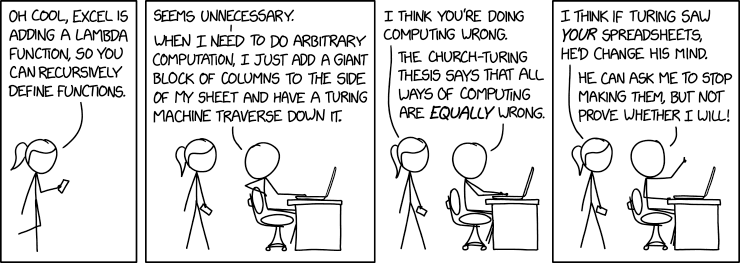
Image credit: Randall Munroe, xkcd webcomic
Until now, we have seen functions which are abstract over the data they operate on:
you use a generic variable, like x, to represent some unknown data the function will be given,
and then you perform some operation on that data.
However, until now, the operation that is performed on the data is fixed:
each function call takes its input and feeds it into the same expression, doing the same thing with it.
Within the body of the function, there might be if and type-case which change what happens for a specific input,
but the overall operation cannot be changed.
The main idea behind higher-order functions is the question: what if we could be abstract in the operations that a function performs, not just the data that it works on? You may have noticed already that when we are writing functions with pattern matching, especially on lists, that the patterns often look very similar: you pattern match in the same way, doing something slightly different with the result. So it would be really nice if we could avoid writing the same code over and over again, instead writing something once, that allowed us to plug in different data for each use, but also different operations.
The way this is realized in functional languages is with higher-order functions.
8.1. Higher-Order Functions
First, let’s define what we mean by higher-order function:
Definition
A higher-order function is a function which takes another function as an argument, or that produces a function as its result, or both.
The functions you’ve seen in C++ are likely first-order functions: they can take data as arguments, but that data can’t contain functions. A second-order function is one that can take a function as an argument, but that function argument must be a first-order function5. Higher-order functions are unrestricted: they can take functions as arguments, which can take functions as arguments, which can take functions as arguments, etc.
It is important to recognize that we aren’t adding anything special to our language by allowing higher-order functions. Rather, languages like C, C++ and Java add a special restriction to ensure that functions are classified separately from other expressions. Functional languages simply remove this separation. In particular, all of our semantic equations still apply: the rule for passing a function to another function is the exact same as the rule for passing a non-function: you just replace the variable name with the value of the actual argument you’ve passed in.
8.1.1. Function types
Recall that when we wrote the types of functions, we would write something like (T1 T2 ... Tn -> S).
This is the type of functions that take in n arguments, with types T1 to Tn respectively, and return
a value of type S.
In Flit and other functional languages, function types are not special, and can be used anywhere
that another type is used.
So one can write ((Nat -> Nat) -> Boolean), which is a function that takes in another function.
The argument function takes in a natural number and returns a natural number,
and the entire function produces a boolean.
Likewise, one can write (Listof (String -> Number)), which is a list of functions, each of which takes a string argument and produces a number.
Or one can write (Optionof (Boolean -> Boolean)), which is either none or (some f) for some f that takes a boolean and returns a boolean.
8.1.1.1. Example: Calling a function repeatedly
As an example, let’s look at a function that takes in another function, and calls it n times on some number:
(define (applyNTimes [f : (Number -> Number)]
                     [x : Number]
                     [nTimes : Number]) : Number
  (if (<= nTimes 0)
      x
      (applyNTimes f (f x) (- nTimes 1))))
This function has three arguments:
f, which is a function that takes a number and returns a numberx, which is a NumbernTimes, which is a number
It returns a result of type Number. So overall, the type of the function is:
applyNTimes: ((Number -> Number) Number Number -> Number)
In the definition of the function, it uses recursion to call f the given number of times:
if nTimes is zero, then calling f zero times on x just produces x.
If nTimes is greater than zero, we can use recursion to call it (- n 1) times on x,
then call f on that result one more time.
Notice that there is no special syntax for calling f: just as we would write (add1 x),
we can write (f x). We don’t know what f does, but we know that it takes a Number, so x is a valid argument,
and we know that it produces a number, so (f x) : Number.
We can give different operations to applyNTimes to obtain different result:
(define (timesTen x)
  (* x 10))

(applyNTimes add1 3 5)
(applyNTimes sub1 3 5)
(applyNTimes timesTen 3 5)
8
-2
300000
When we did (applyNTimes add1 3 5), the call replaced f with add1, x with 3, and nTimes with 5. So we got a
result of (add1 (add1 (add1 (add1 (add1 3))))), which is equal to 8.
When instead we gave sub1, the exact same thing happened, except f was replaced by sub1 instead of add1,
so we got (sub1 (sub1 (sub1 (sub1 (sub1 3))))), which is -2.
And when we did timesTen, which we had defined above,
we got (timesTen (timesTen (timesTen (timesTen (timesTen 3))))).
We see that applyNTimes did the exact same thing for each call, except it used a different function in place of f.
8.1.1.2. Example: calling a function on each element of a list
Another extremely common operation that we want is to call some function on each element of a list. Let’s write a function which takes a list of numbers, and some operations on numbers, and makes a new list, whose contents are that operation called on each element of the original list.
(define (mapNum [f : (Number -> Number)]
                [xs : (Listof Number)]) : (Listof Number)
  (type-case (Listof Number) xs
             [empty empty]
             [(cons x rest)
                (cons (f x) (mapNum f rest))]))
The type of mapNum is ((Number -> Number) (Listof Number) -> (Listof Number)):
it takes a function that inputs and outputs a number, and a list of numbers,
and returns a new list of numbers.
It works recursively: calling a function on each member of an empty list just produces the empty list,
and if the list has at least one element, we can call the function on the head, recursively call the function
on each element of the tail, then cons them together to make a resulting list.
When calling mapNum, we can change both the list we give it, and the operation we do for each element of that list:
(define (timesTen x)
  (* x 10))

(define (negate x)
  (* x -1))


(mapNum add1 (list 1 2 3))
(mapNum add1 (list 10 11 12))
(mapNum sub1 (list 1 2 3))
(mapNum timesTen (list 1 2 3))
(mapNum negate (list 10 11 12))
Running these tests will either make a new list that has added one, subtracted one, multiplied by ten, or negated the elements of the input list, depending on which function it was called with:
'(2 3 4)
'(11 12 13)
'(0 1 2)
'(10 20 30)
'(-10 -11 -12)
8.2. Lambda: The Function Constructor
So far, each time we wanted to give a new operation to mapNum or applyNTimes, we had to use (define ...) to make a new function.
But sometimes the operation we’re doing is small, and we don’t want to have to define a separate function somewhere else in the file.
Even more critically, sometimes the operation we want to perform depends on other function parameters, so we can’t define it at the top level.
So we want a way to dynamically create different functions while a program is running.
To account for these, functional languages have a special feature, called lambda, which lets us build anonymous functions:
functions that don’t have a name, and don’t exist at the top level of the file.
In Flit, we can write:
(lambda (x) BODY)
This creates a function which takes one argument, named x, and produces BODY as its result, where x might occur in BODY.
For example, timesTen that we used above could be written as (lambda (x) (* 10 x)).
Then we could write:
(applyNTimes (lambda (x) (* 10 x))
             3
             5)
(mapNum (lambda (x) (* 10 x))
        (list 1 2 3))
This does the exact same thing as the timesTen versions did, but without needing to define a separate top-level function.
8.2.0.1. Lambda Syntax Variations
Depending on how many types you want to write down, there are several variants of the Lambda syntax:
#+begin_src racket
;; Type annotation
(lambda ([x : Number]) : Number
  (+ x 1))

;; Multiple arguments
(lambda (x y) (+ x (+ x y)))

;;Multiple type annotations
(lambda ([x : Number]
   [y : Number]) (+ x (+ x y)))

;; Unicode Greek lambda
;; In Dr. Racket: either cmd-\ or ctrl-\ depending on os
(λ (x) (+ x x))
8.2.0.2. Terminology: Applying a Function
In the theory of programming languages, calling a function, especially a lambda, is sometimes referred to as “applying” that function. Applying a function and calling the function mean the exact same thing, and we may use both terms through the course.
8.2.0.3. Semantics of Lambda
The semantics and typing rules for lambda are exactly like those for function definitions,
Equation: Semantics of Function Calls (Lambda)
For any terms EXPR1 and EXPR2, with x in scope for EXPR1, we have:
((lambda (x) EXPR1) EXPR2)= [x => EXPR2]EXPR1- i.e.
EXPR1with all non-shadowed occurrences ofxreplaced byEXPR2
- i.e.
There are no equations for lambda before we call it: a lambda just makes a function that is waiting to be called,
but actually creating the function doesn’t do anything.
In practice, we never write code that looks like ((lambda (x) (+ x 1) 3),
e.g. where we write a lambda then immediately give it an argument.
But when we call a higher order function, the variable for its function argument
might get replaced with a lambda, so after some steps of evaluation we will end up
with a lambda directly called on an argument.
When you define a function, Racket actually converts it into a lambda, so writing:
(define (f x) (+ x 1))
produces the exact same thing as writing:
(define f (lambda (x) (+ x 1)))
8.2.0.4. Lambda and Types
Like with the equations, there is a typing rule for lambda that looks very similar to the one for function definitions:
Rule: Typing for Lambda
If an expression ~EXPR : T, under the assumption that the variable x : S,
then (lambda (x) EXPR) : (S -> T)
This means that, if we have a hole of type (S -> T), we can replace it with (lambda (x) TODO).
The new hole will have type T, but in that hole, there will be a variable x in scope, that you can refer to when making your solution.
The main difference is that, since a lambda does not need to occur at the top level in your file,
the body EXPR can refer to any variables that are in-scope
The typing rules for calling lambda is the exact same as for calling a function definition:
to write (f x), we need f : (S -> T) and x : S, and then (f x ) : T.
Whether the function being called is made with define or with lambda does not affect the typing rules at all.
8.2.0.5. Lambdas in a Context
As we’ve mentioned, lambda does not need to be used at the top level. This means that we are allowed to write
function using lambda that depend on other variables. For example, here’s how to write a function that adds n to each element of a list:
(define (addNToEach [numToAdd : Number]
                    [xs : (Listof Number)]) : (Listof Number)
  (mapNum (lambda(x) (+ x numToAdd)) xs))
(addNToEach 3 '(1 2 3 4))
'(4 5 6 7)
This function takes in a number to add and a list of numbers.
In its body, it uses lambda to dynamically create a function, which takes in an argument x and adds whatever number
we gave to x. This function is then passed to mapNum, which calls it on each element of the list xs.
8.3. Functions that Produce Functions
We’ve seen that we can have argument types that are functions, but using lambda, we can also make functions whose return types are functions.
For example, let’s make a function that takes in a number n, and makes the function (lambda (x) (+ n x)).
(define (makeAdderWith n) : (Number -> Number)
  (lambda (x) (+ n x)))
(makeAdderWith 3)
(mapNum (makeAdderWith 3))
The function makeAdderWith has type (Number -> (Number -> Number)).
That is, it takes in a number, and returns a function. The function it returns
takes in a number, and produces a number.
For whatever n you give it, makeAdderWith produces the function that adds n to its argument.
Again, the key idea here is that functions are not special. Since (Number -> Number) is a type,
it can be the return type of a function.
8.3.1. Combinators
There is a special kind of function which takes functions as both input and output, called a combinator:
Definition: Combinator
A combinator is a function which takes a function as input and produces a function as output.
So a combinator is a way to transform a function into a related function.
For example, we can make a function which “adds” two functions together,
for any f and g, it will produce the function that returns the sum of (f x) and (g x) for each x:
(define (+fun [f : (Number -> Number)]
              [g : (Number -> Number)]) : (Number -> Number)
  (lambda (x) (+ (f x) (g x))))
;; e.g. Make the function that adds (f x) and (g x) for any x
;; Tests:
(define x^2+3x (+fun (lambda (x) (* x x)) (lambda (x) (* 3 x))))
(x^2+3x 1)
(x^2+3x 2)
(x^2+3x 0)
4
10
0
The function takes two arguments: f and g, which each have type (Number -> Number).
Then we want our result to have type (Number -> Number), so we make a lambda.
This gives us a variable x with type Number, and a goal type of Number for the body of the lambda.
The expressions (f x) and (g x) each have type Number, so we can add them together to get our final number for the lambda’s body.
Just calling +fun doesn’t do anything, except make a new function that we can call on other arguments.
But when we run the tests above, we can see that it does indeed produce the sum of \(x^2\) and \(3x\) for each \(x\) we give it:
4
10
0
There are no special rules for higher order functions or combinators.
We can reason about programs with them using all the rules we have already.
For example, let’s look at using +fun on a function that negates its argument:
(define (negate x) (* x -1))

(+fun negate negate)
= (lambda (x) (+ (negate x) (negate x)))
= (lambda (x) (+ (* x -1) (* x -1)))

So:
((+fun negate negate) 3)
= ((lambda (x) (+ (* x -1) (* x -1))) 3)
= (+ (* 3 -1) (* 3 -1))
= (+ -3 -3)
= -6
Combinators are particularly useful for “lifting” functions on element types to work on data structures.
For example, we can lift any operation on numbers to work on (Optionof Number).
(define (liftOption [f : (Number -> Number)])
  : ((Optionof Number) -> (Optionof Number))
  (lambda ([optionN : (Optionof Number)])
    (type-case (Optionof Number) optionN
      [(none) (none)]
      [(some x) (some (f x))]
      )))
Given a function that works on numbers,
liftOption returns a lambda. This lambda looks at its argument, which is an
(Optionof Number), and checks if it is none. If it is, then it returns none, since there’s
no way to apply an operation to a number that isn’t there.
If the number (some x), then the function returns (some (f x)).
8.4. Lambda in the Wild
Almost every programming language includes, or has added, a version of lambda and higher-order functions.
These are especially common in JavaScript programming, where they are used for “callbacks:” you design part of a user interface
by giving that component the function to run when it is clicked, selected, etc.
Below, we give some examples of how to write lambdas in other languages.
8.4.0.1. C++
[](float a, float b) {
            return (std::abs(a) < std::abs(b));
8.4.0.2. Python
f = lambda a, b : abs(a) < abs(b)
f(3,-4)
8.4.0.3. JavaScript
var f = (a,b) => Math.abs(a) < Math.abs(b);
console.log(f(3,-4));
8.4.0.4. Swift
let f = {a, b in return abs(a) < abs(b)}
f(3,-4)
8.4.0.5. Rust
    let f = |a : i32, b : i32| a.abs() < b.abs();
    println!("{}", f(3,-4)); ;
8.4.0.6. Java
(a,b) -> Math.abs(a) < Math.abs(b)
9. Higher-Order Polymorphic Functions
We have seen that we can write some useful functions that take or return other functions. However, the real power of functional programming comes when we combine polymorphism and higher-order functions. This gives us functions that are abstract in:
- The data they operate on
- The type of the data they operate on
- The exact operations they perform
This allows us to write highly generic, reusable code, and enables informal design patterns to be encoded as actual, concrete functions in Flit. It also gives us a useful library of core operations that make it clear what your code does to readers familiar with functional programming.
As a motivating example, let’s look at sorting functions. In previous courses, you should have learned how to sort a list of numbers:
(define (sortNumbers [xs : (Listof Number)]) : (Listof Number)
  ....)
However, what if we wanted to sort a list of number-string pairs, where we only compare the elements by the number?
(define (sortById [xs : (Listof (Number * String))])
        : (Listof (Number * String))
  ....)
The implementation of that function is going to be 99% the same, since the only part that is different is checking whether one pair should come before another in a list. What we really want is something like this:
(define (sortBy [xs : (Listof 'a)]
                [compare : ('a 'a -> Boolean)])
  : (Listof 'a)
  ....)
That is, a function that says “I will sort a list of elements of any type, as long as you tell me how to compare two elements of that type.” Then we could sort numbers, pairs, strings, and even lists, as long as we defined how to compare them.
9.1. Map
One of the most essential list functions is map. It takes a function and a list, and makes a new list, whose contens
are the result of calling the function on each element of the list.
Since we are in a functional language, it is not changing the old list, but rather making a new list
based on the old one.
You may recall that earlier we saw mapNum, which applies a function to every element of a list of numbers.
It turns out that there was absolutely nothing in that definition that was specific to numbers,
and we can directly adapt it to lists of any type:
(define (map [f : ('a -> 'b)]
           [xs : (Listof 'a)]) : (Listof 'b)
  (type-case (Listof 'a) xs
             [empty
               empty]
             [(cons x rest)
               (cons (f x)
                     (map f rest))]))
That is, calling f on each element of the empty list produces the empty list.
To call f on each element of a list with at least one element, we can call f on the head,
recursive use map to call it on the entire tail, and then cons them together.
The resulting list will always have the same length as the input list, since each element in the input list
corresponds to one in the output list (namely, the result of calling the function on it).
The map function is used to turn a function on a type into a function on lists of that type.
For example, if we have a list of pairs, and we want the first element of each pair, we can do:
(define myPairs (list (pair 1 "a") (pair 2 "b") (pair 3 "c") ) )

(map pairFst myPairs)
This gives us the first element of each pair in the list:
Likewise, if we have a list of booleans, and we want to flip them all, we can do:
(define myBools (list #t #f #t #f #t #f))

(map not myBools)
The reason this works is that map only depends on the structure of the list:
as long as the type of the function you give matches the type of the things in the list,
map does not need to know what kind of thing is in the list, just that they are valid arguments to the function.
In many cases, if you are transforming a list into another list of the same length, you can use map instead of writing your own
function with recursion and pattern-matching.
9.1.1. Map as a Design Pattern
Remember back to when you were learning your first non-functional language. For example, when first learning arrays in C++, students learn to write code that looks like this:
int myArray[N];

for (int i = 0; i < N; i++){
  int current = myArray[i];
  // Do something with current
 }
Every single time you want to do something with each element of an array in left-to-right order, this is the code you want to call.
In with higher-order polymorphic functions,
you don’t have to repeatedly write this pattern,
because the pattern can be captured as an actual function.
Somebody else wrote map, put it in a library, and now you never need to
write that boilerplate code again.
9.2. Filter
Another key operation on lists is filter. Like map, it transforms a list into another list, but unlike map it does not preserve its length.
Instead, it looks at each element of the list, and keeps only the ones that fulfill a certain property.
Here, we operationalize the idea of “having a certain property”
as “making a certain function return #t.”
(define (filter [p : ('a  -> Boolean)]
                [xs : (Listof 'a)]) : (Listof 'a)
  (type-case (Listof 'a) xs
             [empty
               empty]
             [(cons x rest)
              ;; Check if the first element satisfies p
              ;; If it does, include it in the results,
              ;; otherwise omit
               (if (p x)
                   (cons x (filter p rest))
                   (filter p rest))]))
Filter takes two arguments, a function p called a predicate, and a list of elements.
For whatever type of things we have on the list, the predicate looks at an element of that type,
and returns either true or false. We use this returned boolean to decide whether each element should be kept in the list.
The structure of filter matches what we have seen so far with recursion.
In the empty case, there is nothing to remove, so we return the empty list.
In the cons case, we recursively filter the tail of the list to only include elements that p returns #t on.
Then we look at the head of the list. If p produces #t for it, we return the head cons-ed to the filtered tail of the list.
If p produces #f, then we just return the filtered tail, since we don’t want to include the head in the result.
We can use filter to take a list and get rid of all elements that don’t have some property. For example, we can filter a list of numbers down to only the even elements:
(filter even? (list 1 2 3 4 5 6 7 8 9 10))
Or we can filter a list of boolean-string pairs down to only those whose booleans are true:
(filter pairFst (list (pair #t "hello") (pair #f "goodbye") (pair #t "hey there")))
Or we can filter a list of lists down to those that are non-empty:
(filter (lambda (myList) (not (empty? myList)))
        (list (list 1 2 3) '() (list 2 3 4) (list 4 5) (list 6)) )
Just like with map, what filter does does not depend on what type of things are in the list,
as long as we have some separate function to get a boolean from each thing in the list.
Notice that we had to use lambda to make the function that returned true for non-empty lists and false for empty ones.
9.2.1. Fitler Examples: Quicksort and more
We can use filter to implement the generic sorting algorithm that we were wishing for at the start of this section.
In a functional language, quicksort is one of the easiest and fastest sorting algorithms to implement.
The idea is as follows:
- If your list is empty, then there’s nothing to sort
If your list has at least one element, we can divide the rest of the list into things smaller than that element, and things bigger than that element. Each of those lists has stricly fewer elements than the own list, so we can sort them recursively. Then, we can just put them together into a bigger list, since we know both recursive results are sorted, and each only contained things smaller (or larger) than the head of the list, respectively. As code, this looks like:
 (define (sortBy [compare : ('a 'a -> Boolean)]
                [xs : (Listof 'a)]) : (Listof 'a)
  (type-case (Listof 'a) xs
             [empty
               empty]
             [(cons head tail)
               (let
                 ([smallers
                    (filter (lambda (x) (compare x head))
                            tail)]
                  [biggers
                    (filter (lambda (x) (not (compare x head)))
                            tail)])
                 (append (sortBy compare smallers)
                         (cons head
                               (sortBy compare biggers))))]))
We make a
lambdathat checks whether its argument is less than the head of the list, and another that checks the opposite. This is another example of a dynamic lambda: we don’t know what thing to comparexto until we’re actually inside the function and have a value forhead. Callingfilterwith those lambdas gives two lists: one whose elements are all smaller, and one whose elements are all larger. We can recursively sort those. Then all that remains is to append the sorted lists together in the right order, with the head in the middle.Another pair of useful functions we can define with
filterareall?andany?. These each take a predicate and a list. Thenall?returns true if the predicate holds (returns true) for every element of the list, andany?returns true if it holds for at least one element of the list. They can be implemented as:(define (all? [pred : ('a -> Boolean)] [elems : (Listof 'a)]) : Boolean (empty? (filter (lambda (x) (not (pred x))) elems))) (define (any? [pred : ('a -> Boolean)] [elems : (Listof 'a)]) : Boolean (not (empty? (filter pred elems))))
That is,
all?filters out all of the elements that satisfy the predicate, then checks if there are any left that don’t satisfy it. Likewise,any?filters the list down to all of the ones that do satisfy the predicate, and then make sure that the resulting list is not empty.
9.3. Polymorphic Combinators and Point-free Programming
We saw some examples of combinators before, but the most useful ones are polymorphic.
9.3.1. Type-Guided Development
In many cases, with polymorphic higher-order functions, there is only one way to write the correct function: the types guide us to a solution, because with generic types, we can only use the arguments we have in front of us. For example, let’s look at the identity function, which just returns whatever input it is given:
(define (id [x : 'a])
  : 'a
  TODO)
We have x : 'a in scope, and a goal type of 'a. What could we possible do to produce a value of type 'a when
we have no idea what type will stand in for the type variable 'a ? We could crash, but that seems useless.
The only possible value we can return is x. So we define:
(define (id [x : 'a])
  : 'a
  x)
9.3.1.1. Writing Function Composition
To see this principle in action on a combinator, let’s look at how to write function composition, which you may have seen in your math class as \(g \circ f\)
(define (o [g : ('b -> 'c)]
           [f : ('a -> 'b)])
  : ('a -> 'c)
  TODO)
That is, if we can turn an 'a into a 'b, and turn a 'b into a 'c, we should be able to turn an 'a into a 'c.
Right now, the goal is ('a -> c'), and we have f : ('a -> 'b)
and g : ('b -> 'c) in scope.
Our goal type is a function, so we know we can use a lambda to produce the result:
(define (o [g : ('b -> 'c)]
           [f : ('a -> 'b)])
  : ('a -> 'c)
  (lambda (x) TODO))
Now our goal type is 'c, and we have a new x : 'a in scope.
Since 'a is a type variable, there is really nothing we can do with it. Except that we have a function in scope, f, that takes 'a as its argument type.
So we can call f on x. This will give us a value of type 'b. Again, there is nothing we can do with this value, since 'b is a type variable, except
to call g on it. So we’re left with:
(define (o [g : ('b -> 'c)]
           [f : ('a -> 'b)])
  : ('a -> 'c)
  (lambda (x) (g (f x))))
9.3.1.2. Using Composition
Function composition is very useful for building functions to give to other higher-order functions like map and filter. For example, to get all elements of a list of pairs whose first element is even, we could do:
(define myPairs (list (pair 1 "one") (pair 2 "two") (pair 3 "three") (pair 4 "four")))

(filter (o even? pairFst) myPairs)
On elements of myList, pairFst is instantiated to type ((Number * String) -> Number),
and ~even? has type (Number -> Boolean)
The call to o built the function (lambda (x) (even? (pairFst x))),
which has the type ((Number * String) -> Boolean), which is exactly the type that
filter needs for a predicate on myList.
Running gives us the result:
(list (values 2 "two") (values 4 "four"))
9.3.2. Currying and Partial Application
For functions that take multiple arguments, we can write a function that gives a value for one of those arguments, and returns a new function waiting for the second argument:
  (define (curry [f : ('a 'b -> 'c)]
                 [x : 'a])
          : ('b -> 'c)
    (lambda (y) (f x y)))
This is known as currying, and is named after the American logician Haskell Curry, who was instrumental in developing
the theory of functions, types, and the lambda calculus6.
The curry function takes in a two-argument function and a first-argument for it.
Since we want to produce a new function, we can make a lambda for our result.
This lambda is waiting for its argument y, but when it gets it, it calls f with the x that curry was passed, as well as whatever y
the lambda was given.
What if we want to give the second argument, but not the first? Well there’s a combinator for that too:
  (define (flip [f : ('a 'b -> 'c)])
    : ('b 'a -> 'c)
    (lambda (bVal aVal) (f aVal bVal)))
The flip function takes a function and makes a new function that does the exact same thing, but takes its arguments in reverse order.
For example, say we have a list of numbers, and we want to get the remainder when dividing each number by 3. We want to map
modulo over the list, but the number we’re dividing by is the second argument to modulo. So we can do:
;; Gets (modulo x 2) for each x in the list
(map (curry (flip modulo) 3)
     '(1 2 3 4 5 6 7 8))
Which gives us:
'(1 2 0 1 2 0 1 2)
This style of programming, where you build up functions using composition and other combinators,
us called point-free programming.
In general, anything you can do with point-free programming, you can do with lambda, so which to use
us generally a matter of which is more readable in the specific case, and personal preference.
9.3.3. Combinators for Options
There are several useful combinators for handling Optionals. These allow us to write code for possibly-failing operations that look a lot like the code for non-failing operations.
The core operation is liftOption, which lets you take an operation on T and turn it into one on Optionof T for any type T:
  (define (liftOption [f : ('a -> 'b)])
                      : ((Optionof 'a) -> (Optionof 'b))
        (lambda (maybeX)
          (type-case (Optionof 'a) maybeX
            [(none)
               (none)]
            [(some x)
               (some (f x))])))
  ;; Tests
  ((liftOption add1) (some 3))
  ((liftOption add1) (none))
  (some 4)
  (none)
That is, liftOption takes a function of type ('a -> 'b)
and transforms it into a function of type (Optionof 'a -> Optionof 'b).
10. Tail-Calls and Generative Recursion
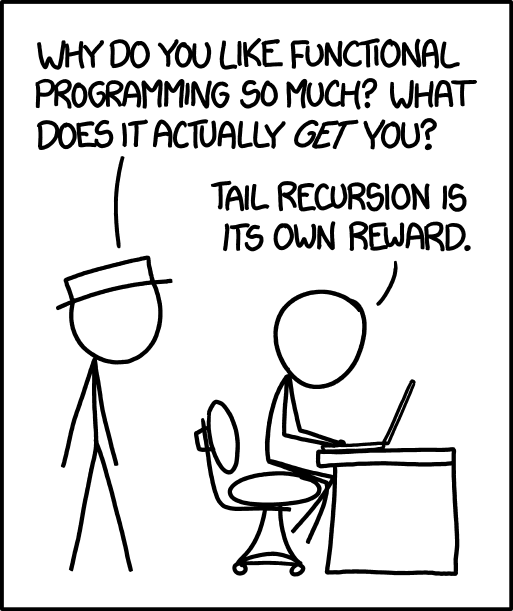
Image credit: Randall Munroe, XKCD webcomic
11. Folds: Recursion as a Function
Footnotes:
At least, no reasonable bound on the size of your data. There are technically a finite number of 64-bit integers, but to handle them all would take 18446744073709551616 nested if-expressions.
For the math enthusiasts out there, this is because one is the multiplicative identity.
If you have ever seen the BBC Children’s Show Numberblocks, these are called “step squads.”
For those interested in category theory, this is because pairs are dual to variant types. Pairs are examples of products, and a datatype with two constructors with one field each is like a coproduct.
One famous Haskell paper even used sixth-order functions.
This is also who the Haskell programming language is named after.